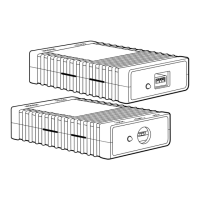
G.SHDSL NTU
8
5. Connect the G.SHDSL Port
1. Obtain single-twisted-pair cable with an RJ-11 plug connector at each end.
2. Plug one end of the cable into the (yellow) RJ-11 socket (labelled
Line)
on
the LB510A.
3. Plug the other end of the cable into the RJ-11 wall socket that provides your
G.SHDSL service.
4. Go to
G.SHDSL > Configuration
to configure the DSL port parameters.
Note
If two LB510As are connected back-to-back, one must be configured as
Remote
, the other as
Central
.
5. The
WAN Link
LED will flash while in the process of establishing a link.
The LED will be on constantly once a valid DSL connection is established.
6. Additional Information
Refer to the
LB510A G.SHDSL NTU Getting Started Guide
located on the CD-
ROM shipped with your LB510A for detailed information about:
•
Installing, configuring, operating, and troubleshooting,
•
Warranty, trademark, & compliance







 To Next Page