27
CHAPTER 4: Upgrades
4. Slide the top cover toward the back of the unit and remove it.
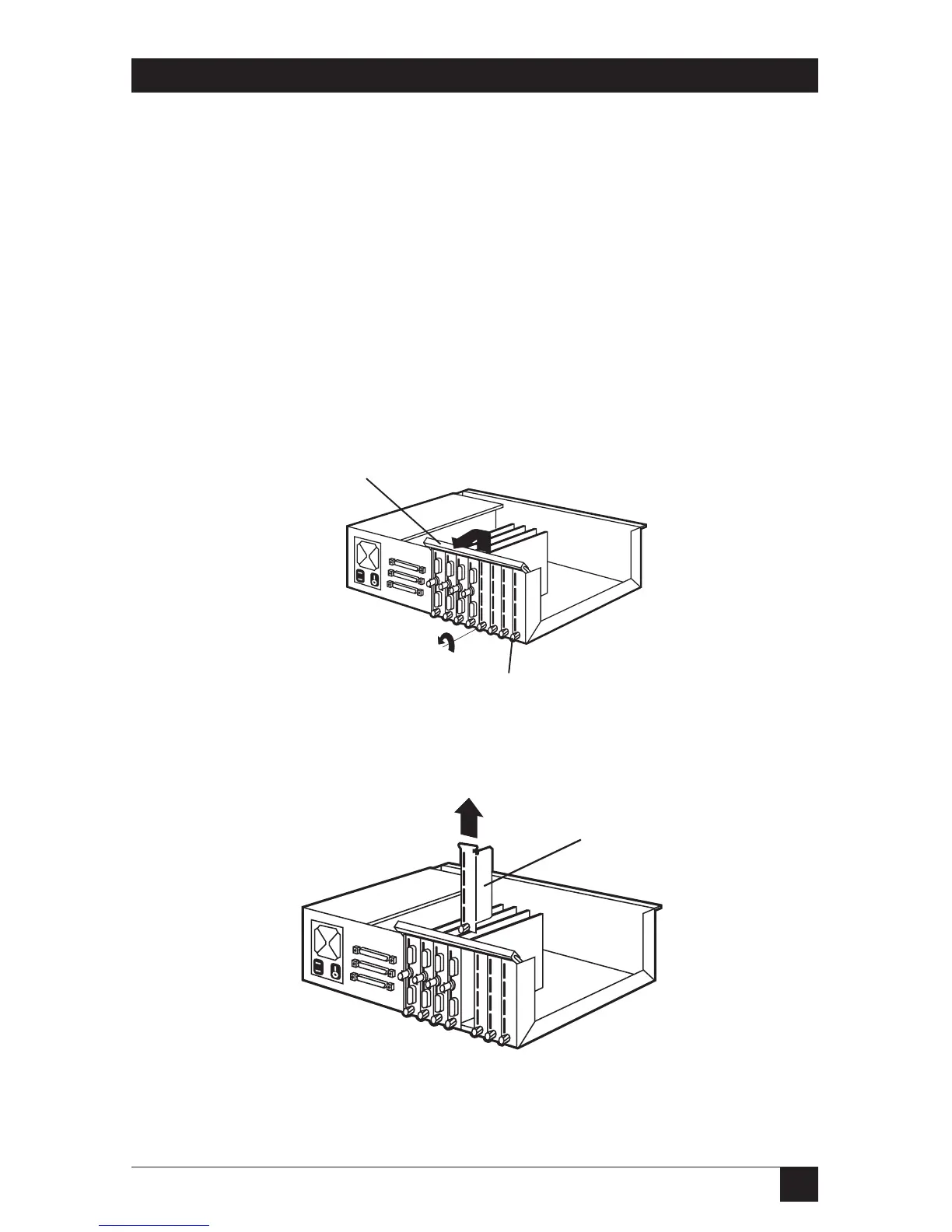
5. Lift the card-holder bracket from the top of the Ethernet cards and
place it toward the back of the unit. See Figure 4-4.
6. Loosen the thumbscrew (counter-clockwise) on the bottom of the
expansion filler plate.
NOTE
You may need a flat-blade screwdriver to loosen thumbscrews.
7. Remove the filler plate from the next available slot. Each unoccupied slot
in RISC Router Expandable has a protective filler plate that must be
removed before you install an expansion card. See Figure 4-5.
Figure 4-4. Card-Holder Bracket.
Figure 4-5. Removing a Filler Bracket.



 To Next Page