EasyManua.ls Logo

Blackweb BWA19AAS91 User Manual

Blackweb BWA19AAS91
2 pages
To Next Page IconTo Next Page
Page #1 background imageLoading...
Page #1 background image
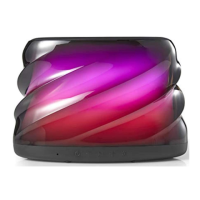
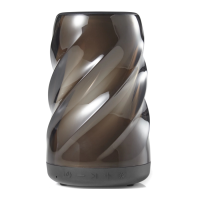
BLUETOOTH
®
SPEAKER
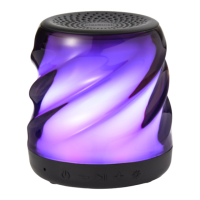
With color-changing
LED lights
PRODUCT GUIDE
Model: BWA19AAS91
POWER:
Press and hold the power button for 2 seconds to turn device on or o.
VOLUME UP +:
Short press (< 0.5s) the Volume Up button to turn up volume.
Press and hold the Volume Up button (2s) to go to the next track.
VOLUME DOWN :
Short press (< 0.5s) the Volume Down button to turn down volume. Press and hold
the Volume Down button (2s) to go to the previous track.
INDICATOR LIGHT STATUS:
Power on – When the speaker is turned on, a solid blue light will appear momentarily.
Bluetooth pairing indicator – When the speaker is turned on, a ashing blue light
indicates the speaker is ready to pair. Once paired, the light will begin blinking every
5 seconds.
Power o – When the speaker is turned o, the indicator light will turn o.
Battery charging While speaker is charging, the indicator light will turn solid red. Once
the speaker is fully charged, the light will turn o.
SPEAKER PAIRING:
To pair the speaker:
1. Make sure the smartphone, tablet, or computer you’re using with the speaker has
Bluetooth.
2. Turn on the speaker (press and hold the power button for 2 seconds) and look
for the small blinking light.
3. Find the BW COLOR SPK M speaker in your device’s Bluetooth list, and select.
The device and Bluetooth will nd each other every time, so long as the speaker is set
to Bluetooth and your devices Bluetooth is on.
Auto-o: If the speaker is on but is not connected to Bluetooth, it will shut down after
2 minutes. Once paired, the speaker will automatically shut down if paused for 15
minutes or more.
DISCONNECTING DEVICE:
Press the button for up to 2 seconds to disconnect the speaker from the device
and enter into pairing mode.
LIGHT PROGRAMS:
Press the button to cycle through the light programs
Program 1: Slow fade color transition
Program 2: Fast color change
Program 3: Color select. Stops on the current color
Program 4: Move to the beat
Program 5: Candle icker
Program 6: Color movement
Program 7: No lights
AUX-IN
Indicator Light
USB Charging Port
AUXIN MODE:
Plug one end of the cord into the speaker and the other into the headphone jack on
your device. Press play. (NOTE: The speaker must be on in order to play.)
USB CABLE:
25 cm micro-USB cable.
Ver.01 Rev.12/28/18
Ver.01 Rev.12/28/18
Ver.01 Rev.12/28/18
Ver.01 Rev.12/28/18
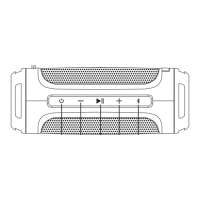
Power
Play/Pause
LED Program Selector
Volume Down/
Previous Track
Volume Up/
Next Track
Question and Answer IconNeed help?

Do you have a question about the Blackweb BWA19AAS91 and is the answer not in the manual?

Blackweb BWA19AAS91 Specifications

General IconGeneral
BrandBlackweb
ModelBWA19AAS91
CategorySpeakers
LanguageEnglish

Summary

Speaker Pairing and Connectivity

Bluetooth Pairing Process

Steps to pair the speaker with a smartphone, tablet, or computer via Bluetooth.

Auto-off Feature

Speaker shuts down after 2 minutes if not connected or 15 minutes if paused.

Disconnecting Device

Press the II button for up to 2 seconds to disconnect from the paired device.

Speaker Operations and Features

Turning Device On/Off

Press and hold the power button for 2 seconds to turn the device on or off.

Volume and Track Control

Short press buttons to adjust volume; long press to skip tracks.

Light Programs

Press the -- button to cycle through 7 different light programs and effects.

Indicator Light Status

Describes the meaning of the indicator light's color and blinking patterns.

Auxiliary Input Mode

Connect devices via headphone jack for audio playback through the speaker.

Call Handling

Answering and Ending Calls

Use the play/pause button to answer, end, or reject incoming calls.

Call Transfer

Move calls between the speaker and your connected device using the play/pause button.

Important Information and Safety

Splash Proof Rating

IPX4 rating means the speaker is protected against splashes from any direction.

Cleaning Instructions

Use a soft, dry towel for cleaning; keep charging and aux flaps flush.

FCC Compliance

Details on FCC rules, interference, and RF exposure for the device.

Important Safeguards

Essential precautions for safe use, including listening responsibly and avoiding hazards.

Environmental Message

Information regarding the internal lithium battery and small parts.

Related product manuals