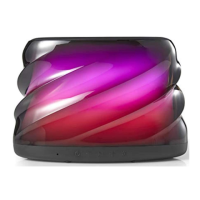
PREMIUM
BLUETOOTH
®
SPEAKER
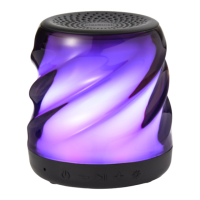
With color-changing
LED lights
PRODUCT GUIDE
Model: BWA19AAS92
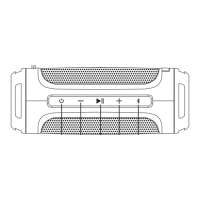
POWER:
Press and hold the power button for 2 seconds to turn device on or o.
VOLUME UP +:
Short press (< 0.5s) the Volume Up button to turn up volume.
Press and hold the button (2s) to go to the next track.
VOLUME DOWN :
Short press (< 0.5s) the Volume Down button to turn down volume.
Press and hold the button (2s) to go to the previous track.
INDICATOR LIGHT STATUS:
Power on – When the speaker is turned on, a solid blue light will appear
momentarily.
Bluetooth pairing indicator – When the speaker is turned on, a quick ashing blue
light indicates the speaker is ready to pair. Once paired, the light will begin blinking
every 5 seconds.
Power o – When the speaker is turned o, the indicator light will then turn o.
Battery charging – While speaker is charging, the indicator light will turn solid red.
Once the speaker is fully charged, the light will turn o.
SPEAKER PAIRING:
To pair the speaker:
1. Make sure the smartphone, tablet, or computer you’re using with the speaker
has Bluetooth.
2. Turn on the speaker (press and hold the power button for 2 seconds) and look
for the small blinking light.
3. Find the BW COLOR SPK L speaker in your device’s Bluetooth list, and select.
The device and Bluetooth will nd each other every time, so long as the speaker is set
to Bluetooth and your device’s Bluetooth is on.
Auto-o: If the speaker is on but is not connected to Bluetooth, it will shut down after
2 minutes. Once paired, the speaker will automatically shut down if paused for
15 minutes or more.
DISCONNECTING DEVICE:
Press the button for up to 2 seconds to disconnect the speaker from the device
and enter into pairing mode.
LIGHT PROGRAMS
Press the
button to cycle through the light programs
Program 1: Slow fade color transition
Program 2: Fast color change
Program 3: Color select. Stops on the current color
Program 4: Move to the beat
Program 5: Candle icker
Program 6: Color movement
Program 7: Lights o
AUXIN MODE:
Plug one end of the cord into the speaker and the other into the headphone jack on
your device. Press play. (NOTE: The speaker must be on in order to play.)
USB CABLE:
25 cm micro-USB cable.
Ver.01 Rev.12/03/18
Play/Pause
Power LED Program Selector
Volume Down/
Previous Track
Volume Up/
Next Track
AUX-IN
Indicator Light
USB Charging Port

 Need help?
 General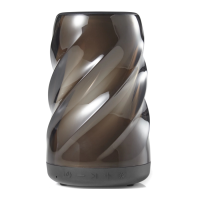

 To Next Page