To pair the speaker:
1. Make sure the smartphone, tablet, or computer
2. Turn on the speaker (press and hold the power b
light.
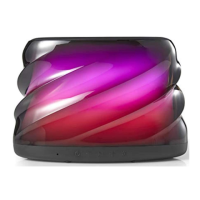
3. Find the BW COLOR SPK S speaker in your devic
The device and
Bluetooth
will find each other ever
and your device’s
Bluetooth
is on. If you’re conn
manual on how to sync your computer to
Bluetoot
Auto-off: If the speaker is on but is not connected t
Once paired, the speaker will automatically shut do
DISCONNECTING DEVICE:
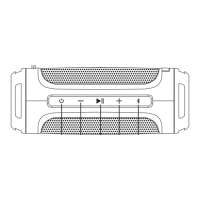
Press the
button
for up to 2 seconds to disco
pairing mode.
LIGHT PROGRAMS
ress t
e
utton to cyc
e t
roug
t
e
g
t p
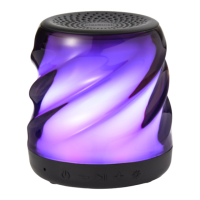
Program 1: Slow fade color transition.
Program 2: Fast Color change.
Program 3: Color select. Stops on the current color
Program 4: Move to the beat.
Program 5: Candle flicker.
rogram
:
ou’re using with the speaker has
Bluetooth
.
tton for 2 seconds) and look for the small blinking
e’s
Bluetooth
list, and select.
time, so long as the speaker is set to
Bluetooth
cting to a computer, consult with your owner’s
.
o
Bluetooth
, it will shut down after 2 minutes.
n if paused for 15 minutes or more.
nnect the speaker from the device and enter into
ograms.
displayed.


 To Next Page