16
4-in-1 Control Unit Description, Arming and Motor Control Test (continued)
• After confirming that the transmitter has been turned on and has an adequate level of battery power as
displayed by the LEDs at the top of the transmitter, it is now safe to connect the flight battery to the 4-in-1 unit.
• With battery power applied, the 4-in-1 unit status LED will blink red, and then blink green. It is
extremely important that you do not move or sway the helicopter once the status LED begins to
blink green confirming that the initialization process and calibration of the gyro has begun. It is OK to
move the model when the status LED is blinking red (as in the time it takes to connect the flight battery to the
4-in-1 unit and place the model at rest), as long as the model remains motionless when the status LED begins to
blink green.
• When the status LED becomes solid green, the unit is armed and ready for flight. Use caution as both
main motors will now run with throttle stick or throttle trim input. Do not advance the throttle stick or trim until
you are clear of the rotor blades and ready to fly.
Note: If the status LED does not become solid green, please review the following:
• If after blinking red the status LED becomes solid red, you have a positive Radio Frequency (RF) link between
the transmitter and receiver of the 4-in-1 unit, but the throttle stick and throttle trim may not be in their lowest
possible positions. Check to be sure that both the throttle stick and throttle trim are in their lowest possible
position and the status LED should blink green then become solid green indicating the unit is armed and ready
for flight. Proceed to the next step of the checklist once the unit is armed.
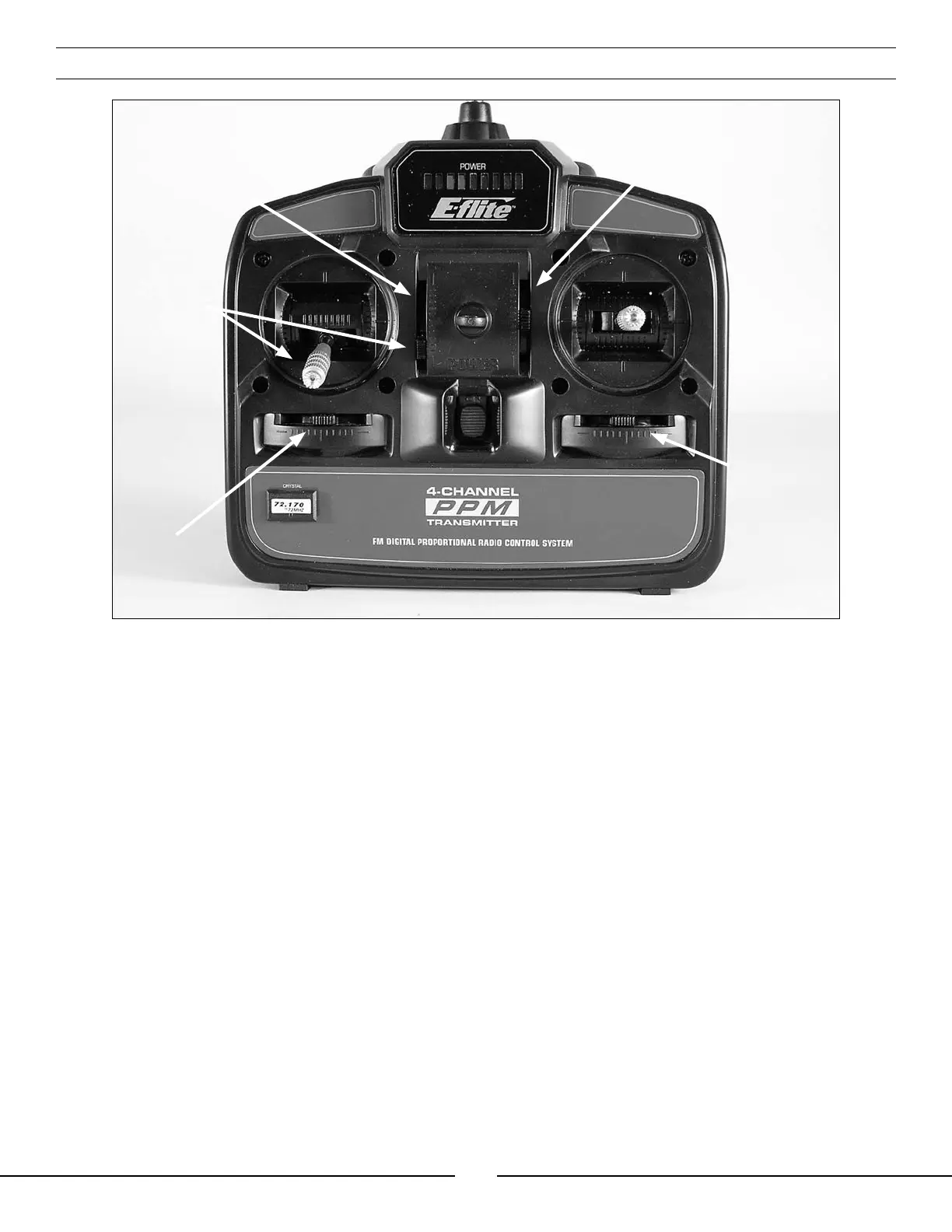
Throttle Trim
Rudder Trim
Aileron Trim
Elevator Trim
Set Throttle
Trim and
Throttle Stick
at Lowest
Position


 To Next Page