17
4-in-1 Control Unit Description, Arming and Motor Control Test (continued)
• If after blinking red the status LED continues to flash from green to red, you do not have a positive RF link
between the transmitter and receiver of the 4-in-1 unit. First, check to be sure that the transmitter has been
powered on and has an adequate level of battery power. If the transmitter was indeed powered on, power both
the transmitter and 4-in-1 unit down, then check that the crystal in the transmitter and the crystal in the 4-in-1
are properly seated and secured in their mounts. Once you have confirmed the crystals are properly seated
and secured, turn on the transmitter and then connect the flight battery to the 4-in-1 unit. The 4-in-1 unit should
now arm normally.
If your 4-in-1 unit will not arm after following the guidelines as listed above, contact Horizon Hobby’s Product
Support staff at 1-877-504-0233.
• Once you have placed the helicopter in a safe area to fly, free from obstructions, and are clear of the rotor
blades, you can safely begin to power up the model. We recommend an indoor area with at least 20-feet by 20-
feet of floor space and no less than 8-foot ceilings. If you have to take your first flight outside, pick a time when
wind conditions are calm.
• Advance the throttle (left-hand) stick slowly, just until the main rotor blades begin to spin. Be sure not to advance
the throttle stick too far to keep the helicopter from lifting off the ground. Note the direction that each of the
main rotor blades spins. When viewed from the top, the lower main rotor blade should spin clockwise and the
upper main rotor blade should spin counterclockwise. If either rotor blade is operating in the wrong direction,
unplug the battery, then simply reverse its motor plug polarity on the 4-in-1 unit. Note that the proper polarity is
marked on the label of the 4-in-1 unit.
• After confirming that the direction of rotation for both rotor blades is correct, it is best to confirm that both
rotor blades respond properly to rudder control inputs. With both main rotor blades spinning at a low level of
power, move the rudder (left-hand) stick all the way to the right. This should cause the speed of the upper main
rotor blade to increase, and the speed of the lower main rotor blade to decrease. Next, move the rudder stick
all the way to the left. This should cause the speed of the lower main rotor blade to increase and the speed of
the upper main rotor blade to decrease. If both rotor blades are not responding properly to rudder input, simply
reverse the locations of their motor plugs on the 4-in-1 unit. Note that the proper motor plug locations are
marked on the label of the 4-in-1 unit.
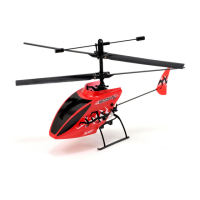
• After confirming both main rotor blades respond properly to rudder inputs, your Blade™ CX is now ready for
flight.


 To Next Page