4646
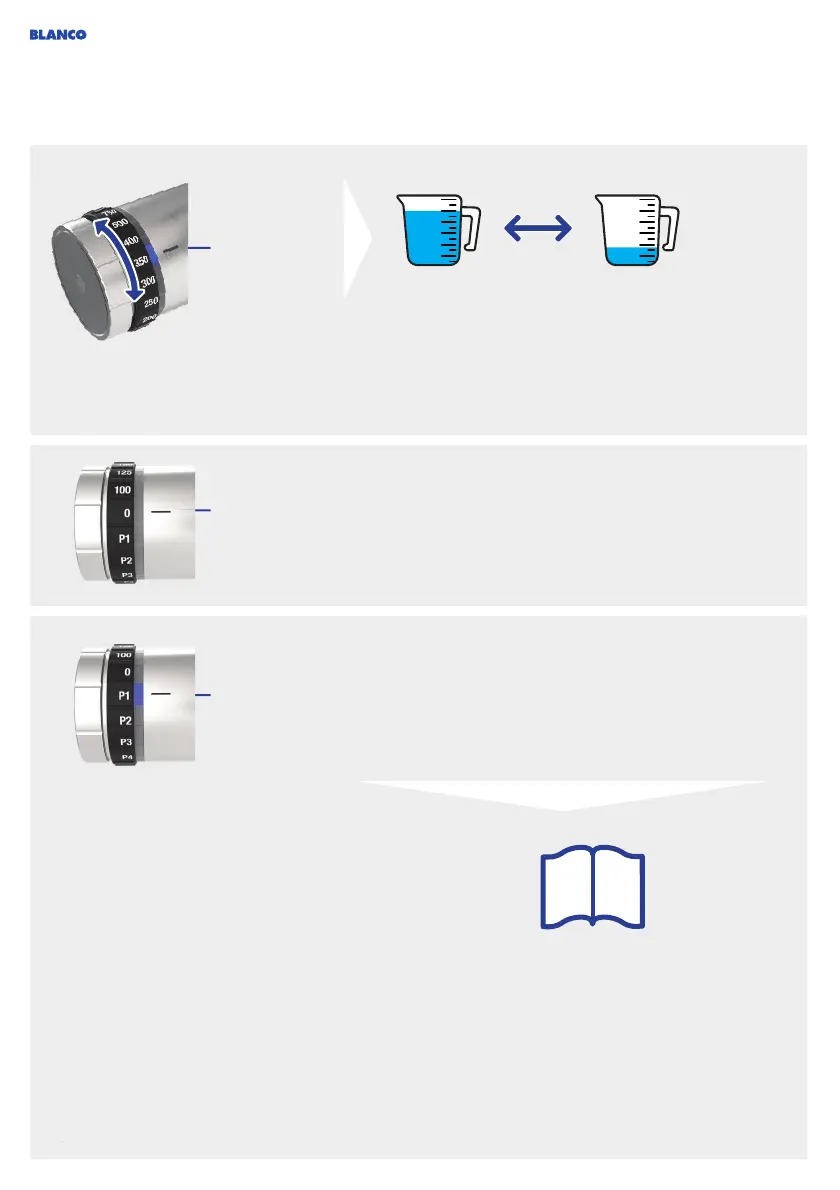
Processed water
Selection of
water quantity
Mixer tap is off.
P1 to P4
You can use the calibration function (see page 56) to set
dispensing quantities optimally. Use the menu to access
this function (see page 48).
Even after full optimisation, the dispensing quantities,
especially for hot water, may vary to a certain extent until
the calibration process has been completed.
The side sensor is deactivated and processed water cannot
be dispensed, but the water conditioning unit continues to
heat and cool.
You can use this setting to clean the tap to prevent
accidental water discharge.
For the positions P1 to P4 you can set the water quantity
and water type in the app. Then start water flow by activating
sensor.
If hot water is configured in the app, you need to activate
the safety barrier (press and turn over 2 notches).
i



 To Next Page