595
Troubleshooting
Error indicator Step
(sequence)
Remedial actions
Error 1 - pump running
time exceeded
1 • Open cold water corner valve
• Check the supply hose from the corner valve to the water
conditioning unit for kinks in the installation position and fix
if necessary
• Check mixed water flow in the mixer tap; if not OK, there may
be a malfunction in the building water installation
• Press 'OK' on the display to confirm malfunction
2 • Check state of filter installation (there must be no gap between
filter attachment and filter head; see page 54)
• Press 'OK' on the display to confirm malfunction
3 • Contact BLANCO Customer Service
Error 1 directly after
cleaning - pump running
time exceeded
1 • Filter was not inserted correctly
• Insert filter correctly and carry out cleaning again with filter
inserted
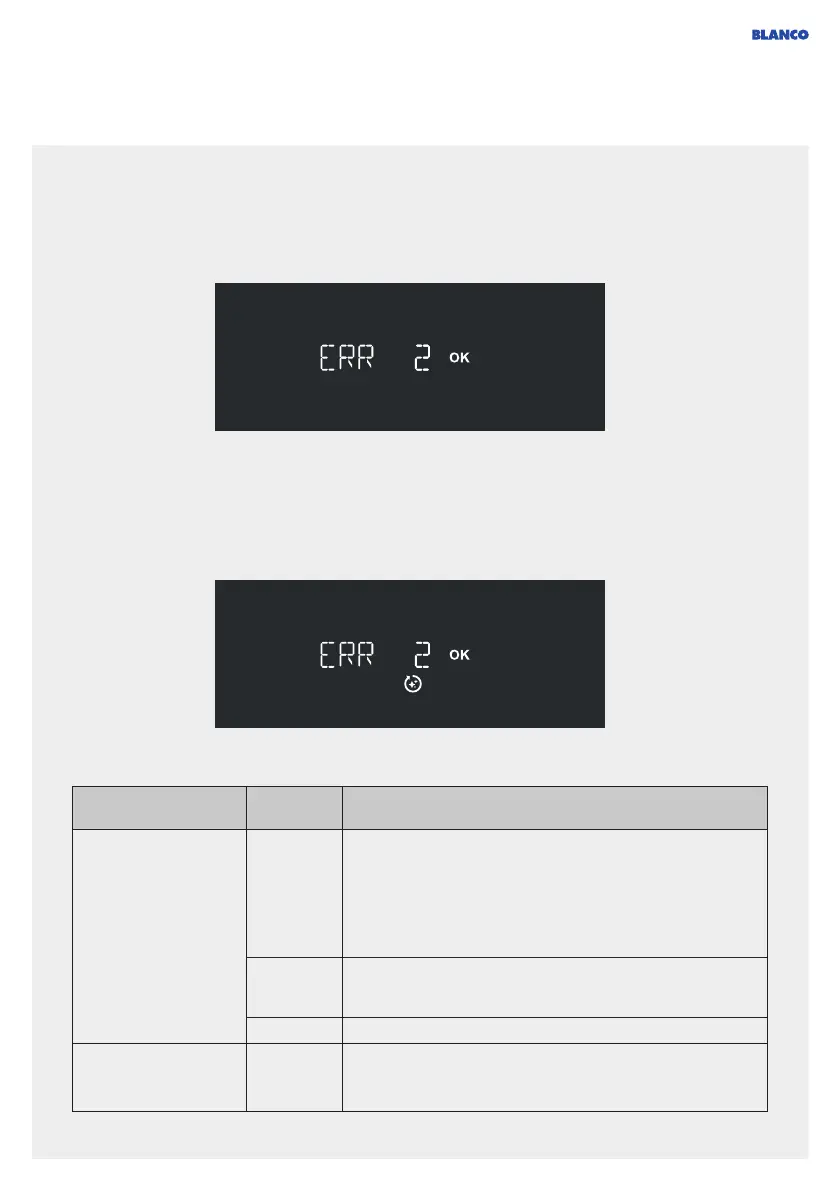
Error during the cleaning program (the 'Clean' symbol is displayed):
Error in normal mode:
Error messages on the display (Errors)



 To Next Page