www.blaubergventilatoren.de
S21
7
CONNECTING A MOBILE DEVICE TO THE UNIT
The fan is controlled by the Blauberg AHU application on the mobile device.
The application is available for download at App Store, Play Market or via the QR code.
App Store download link Play Market download link
When starting the application, a message on the absence of communication with the fan appears on the screen if the device is not
connected to the unit.
By default, the unit operates as a Wi-Fi access point. After installing the application, connect the mobile device to the unit as to a Wi-Fi
access point (FAN: + 16 characters of the ID number) indicated on the control board and on the unit casing.
Wi-Fi access point password: 11111111.
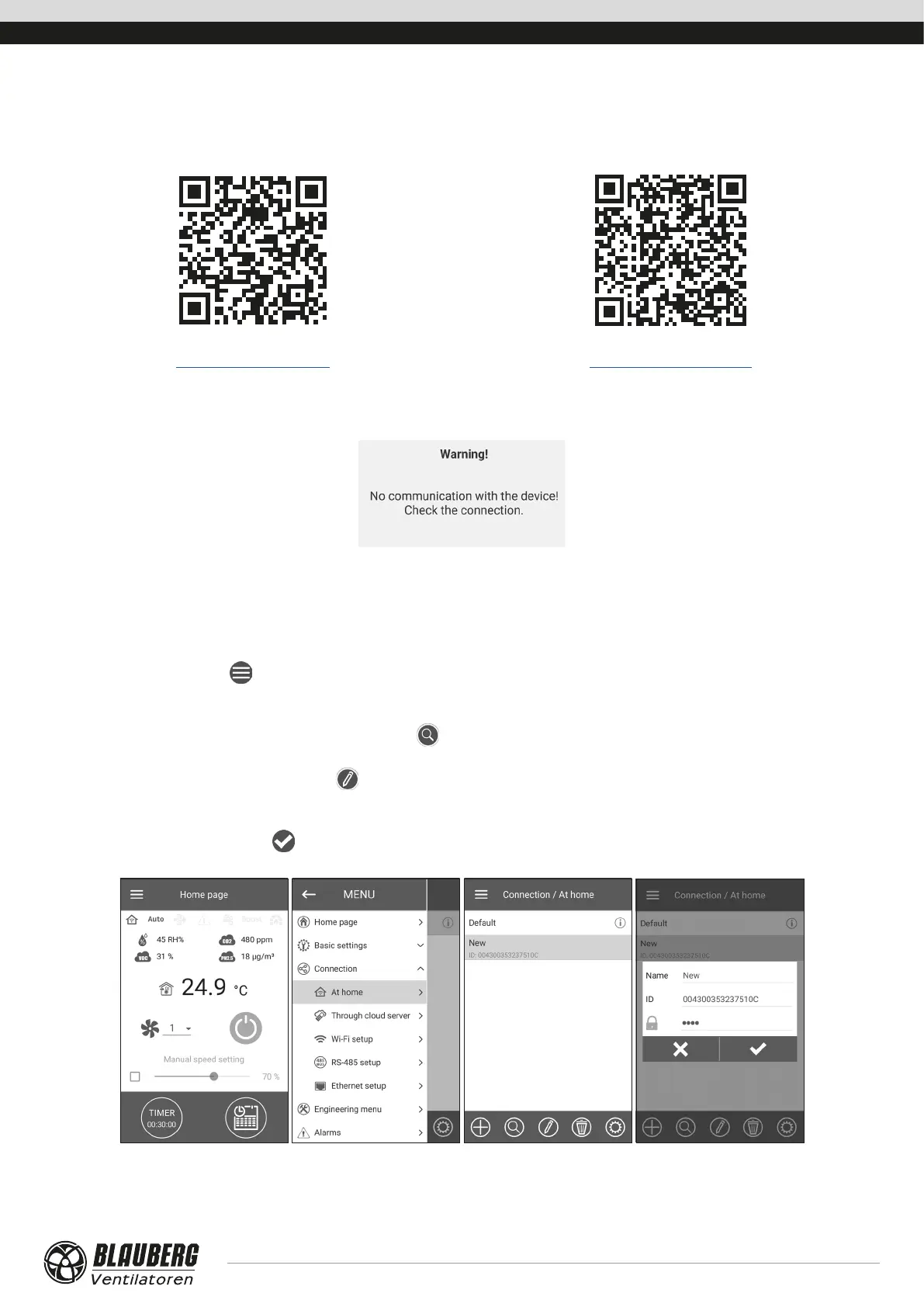
Start the application and create a new connection.
1. Enter the application menu
.
2. Select Connection - At Home from the menu.
3. If the mobile device is connected to the unit Wi-Fi access point directly without a router, select the Default connection. If connecting
via a router, first run a unit network search by pressing the
button.
4. Select the connection with the necessary ID.
5. Edit the connection settings by pressing the
button.
6. If necessary, change the connection name and create a new password for the unit (using the permissible symbols 0..9, a...z, A...Z). By
default the unit password is set to 1111.
7. Confirm the entry by pressing the
button.



 To Next Page