www.blaubergventilatoren.de
S21
9
SPECIAL SETUP MODE
In the event of losing the Wi-Fi password or the unit password, connecting external devices or in other cases, use the special Setup mode
to restore access to the unit functions.
To enter the special Setup mode, press and hold the Setup mode button on the control panel for 5 seconds before the LED on the
button starts flashing.
The location of the Setup mode button is specified in the unit user’s manual. The unit will continue in this mode for 3 minutes and then
automatically revert to the previous settings.
To exit the Setup mode, press and hold the button again for 5 seconds until the LED on the button stops flashing.
Settings for a special Setup mode
Wi-Fi name: Setup mode
Wi-Fi password: 11111111 (the unit password is ignored)
Type of the Ethernet IP address: DHCP
RS-485 address: 1
The transmission rate of the RS-485: 115200 baud
RS-485 stop bits: 2
RS-485 parity: none
Engineering menu password: 1111
CLOUD SERVER CONNECTION
The units can be controlled using the mobile app via a cloud server connection. This function allows controlling the unit that is connected
to the home router, at any remote location via the Internet.
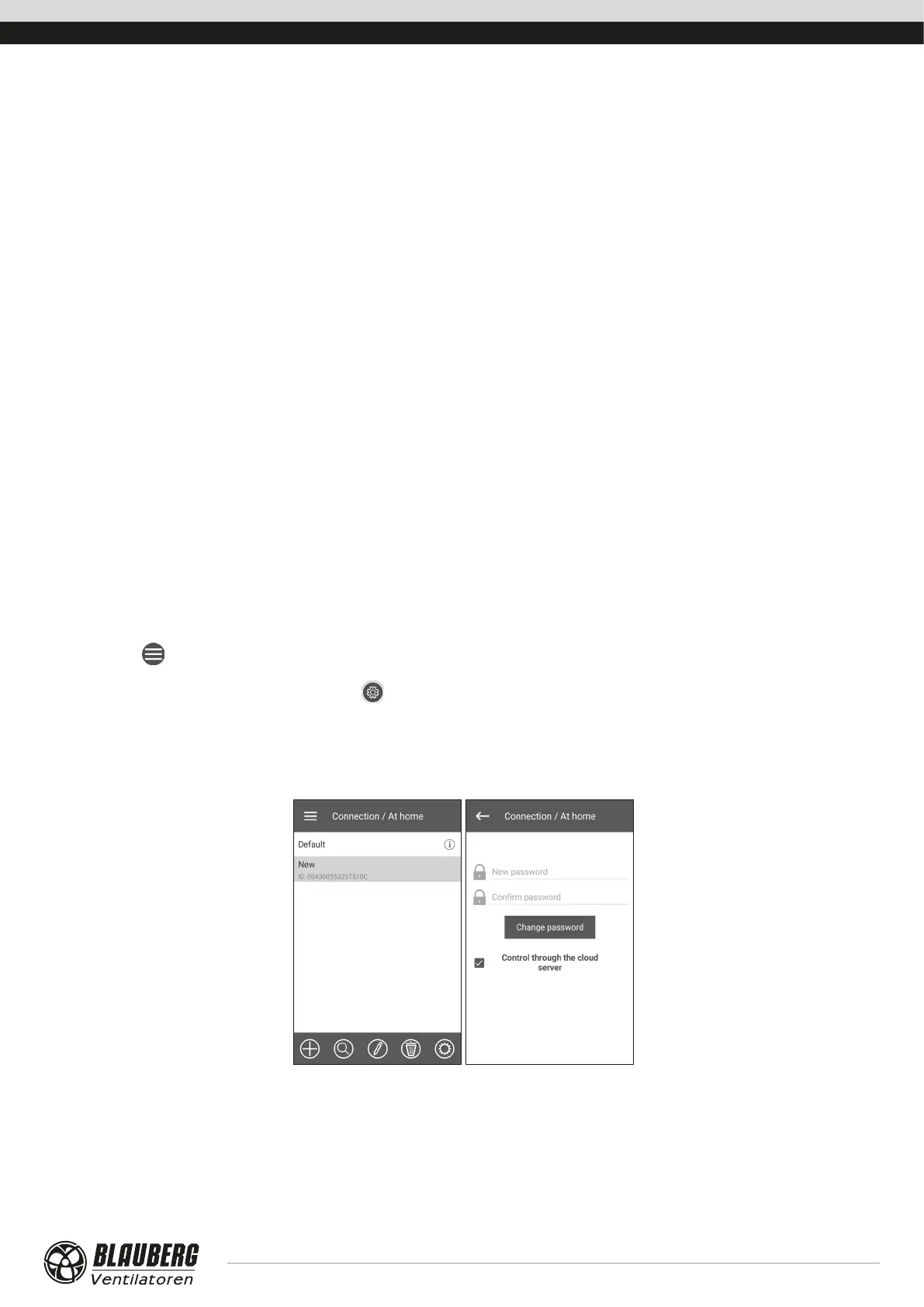
Activating control via cloud server
By default the Control through the cloud server function is disabled.
Activation sequence:
1. Go to Menu (
) - Connection - At home.
2. Select the desired unit connection.
3. Enter the connection settings menu by pressing
.
4. Enable Control through the cloud server.
Note: With this function enabled any loss of Internet connection provided by the home router may result in temporary loss of
communication with the unit.



 To Next Page