www.blaubergventilatoren.de
S21
8
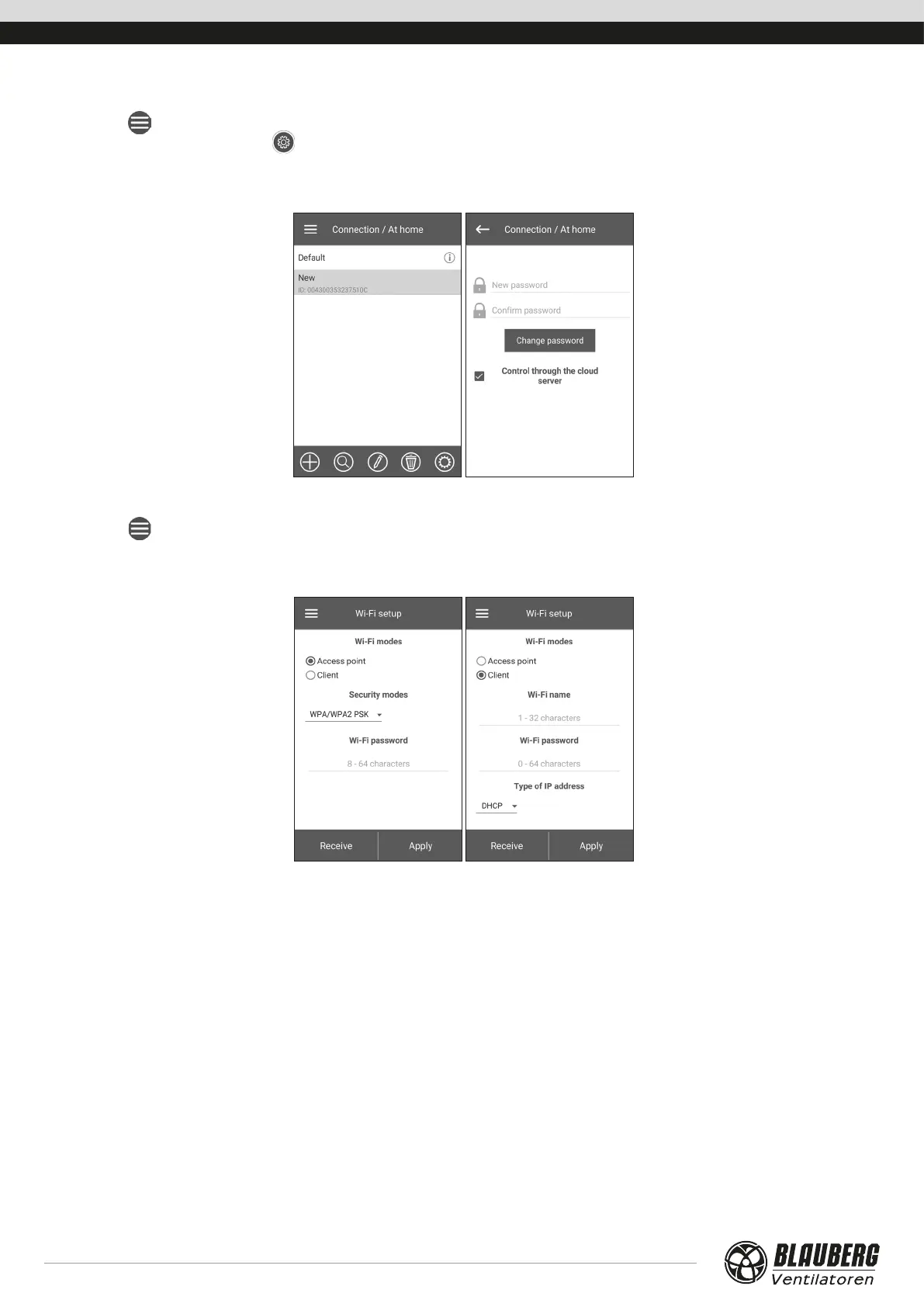
UNIT PASSWORD CHANGE
Go to Menu ( ) - Connection - At Home.
1. Choose the connection and press
.
2. Enter and confirm the password (valid characters: 0..9, a .. .z, A .. .Z).
3. Press Change Password.
WIFI PARAMETER SETUP
Go to Menu (
) - Connection - Wi-Fi setup.
Press the Receive button to display the current Wi-Fi settings.
Select one of the Wi-Fi modes: Access point or Client.
Access point: access point mode without a home router. Up to 8
devices can be connected to the unit in this mode.
Select the desired security level for the Access point mode:
• Open: open Wi-Fi network without a password.
• WPA PSK: password-protected. Outdated encryption
technology, using the WPA protocol, which does not
guarantee complete security.
• WPA2 PSK: password-protected. The most secure type of data
encryption for modern network devices.
• WPA/WPA2 PSK: password-protected (recommended).
Security best combined technology that activates WPA and
WPA2 and at the same time provides maximum compatibility
with any devices. Enter your access point password and press
the APPLY button.
Client: operation mode on the home router network.
Enter the home router details and the IP address type for the
Client mode:
• Enter the name of the Wi-Fi home router access point.
• Enter the password for the Wi-Fi home router access point.
Select the IP address type:
DHCP: the IP address is set up automatically upon connection to
the home router (recommended).
Static: enables manual entry of the desired IP address, subnet
mask and default gateway. These settings are recommended for
technical specialists only. Select this IP address type at your own
risk.
Then press the APPLY button.



 To Next Page