www.blaubergventilatoren.de
S21
15
Ethernet setup
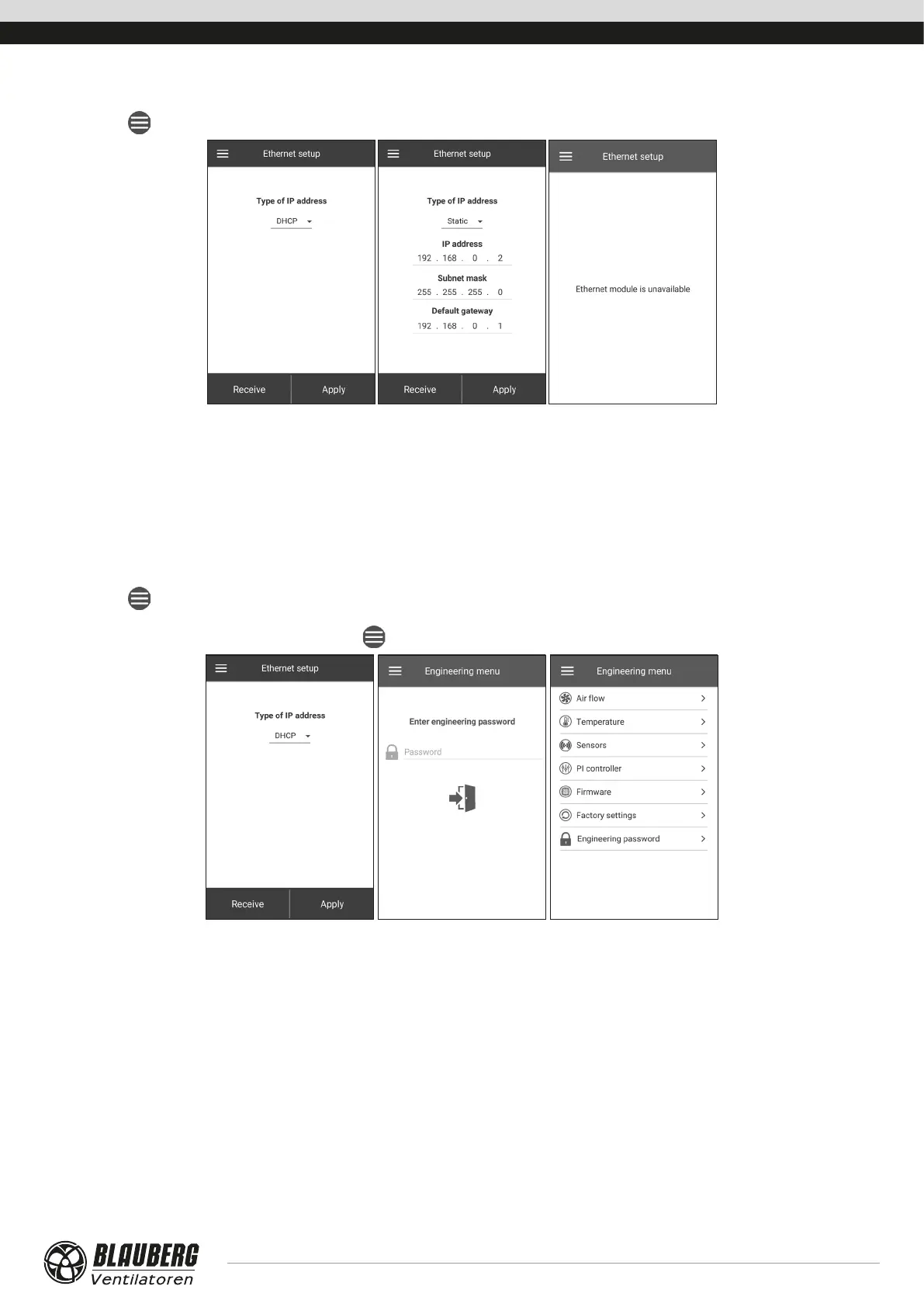
Go to Menu ( ) - Connection - Ethernet setup.
Press the Receive button to display the current Ethernet settings.
DHCP: the IP address is set up automatically upon connection to the home router (recommended).
Static: enables manual entry of the desired IP address, subnet mask and default gateway. These settings are recommended for technical
specialists only. Select this IP address type at your own risk.
Then press the APPLY button.
If the control system fails to detect an Ethernet adapter, the «Ethernet adapter not available» message is displayed.
ENGINEERING MENU
Entering engineering menu
Go to Menu ( ) - Engineering menu.
Enter the engineering password. By default the password is 1111.
To change the engineering password, go to Menu (
) - Engineering menu - Engineering password.
Note: the engineering menu requires expert skills. Inadvertent changes to the engineering menu parameters may cause unit malfunction.



 To Next Page