15
To Replace the Bluetooth Control Unit
For special requirements if you need to replace the Bluetooth Control Unit, please follow
the instruction shown. To open the Shell’s cover, you will see the exposed Bluetooth
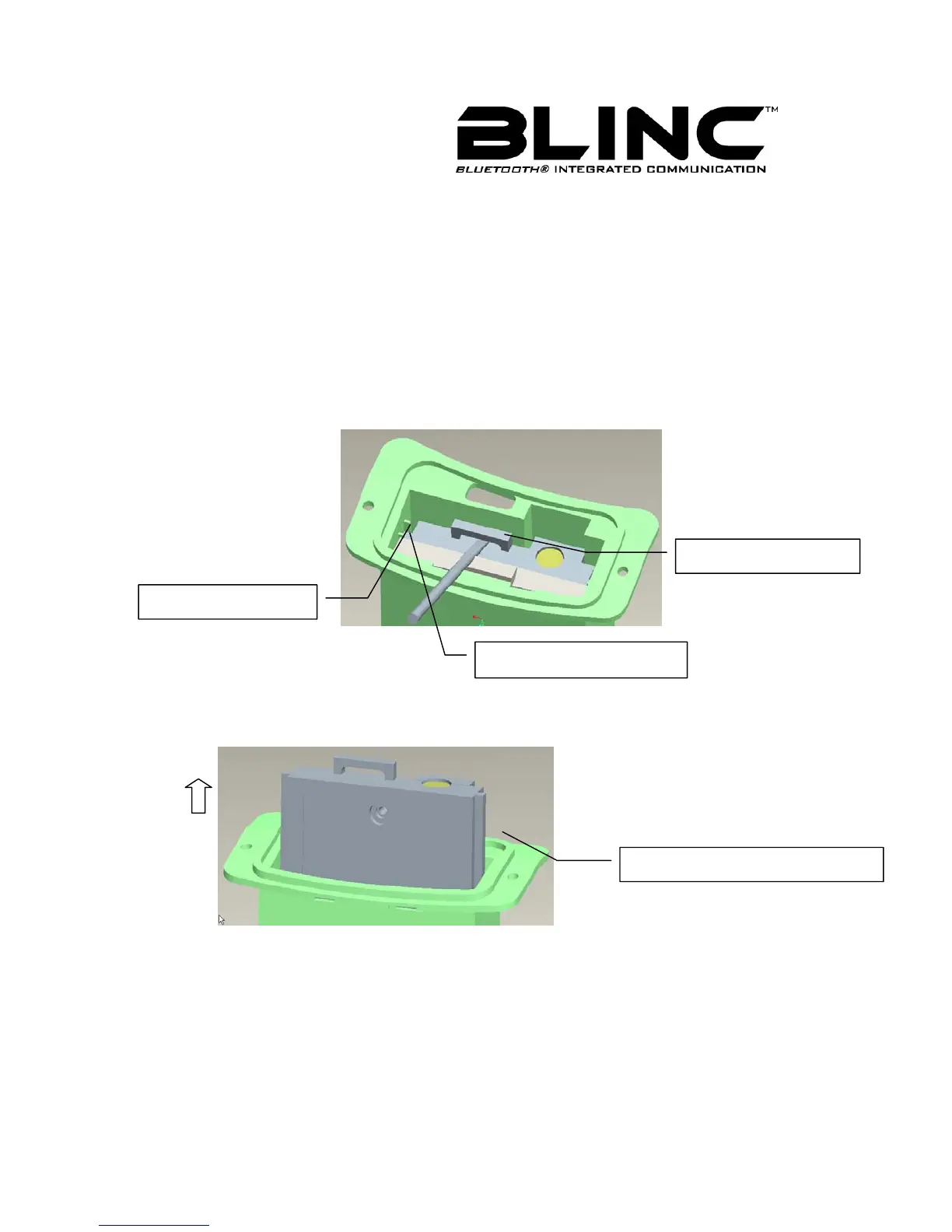
Control Unit, as Figure 6 shows. Using a screwdriver, follow the instruction of the Figure 9
to take out the control unit as Figure 10 shown.
Be careful when you install the control unit, it should match up to the guide grooves on the
sides and be pushed in sufficiently.
Figure 9
Figure 10
Note 1: Unless authorized to do so, you should not attempt to remove the
BLINC™ Bluetooth Control Unit.
Note 2: When the battery is inserted on the wrong side, the lights will not
blink. Re-Set your battery properly and check for lights on the MFB.
Inserted Bluetooth
Guide way of Inserted
Guide way of Shell
Guide way of Inserted Bluetooth



 To Next Page