4
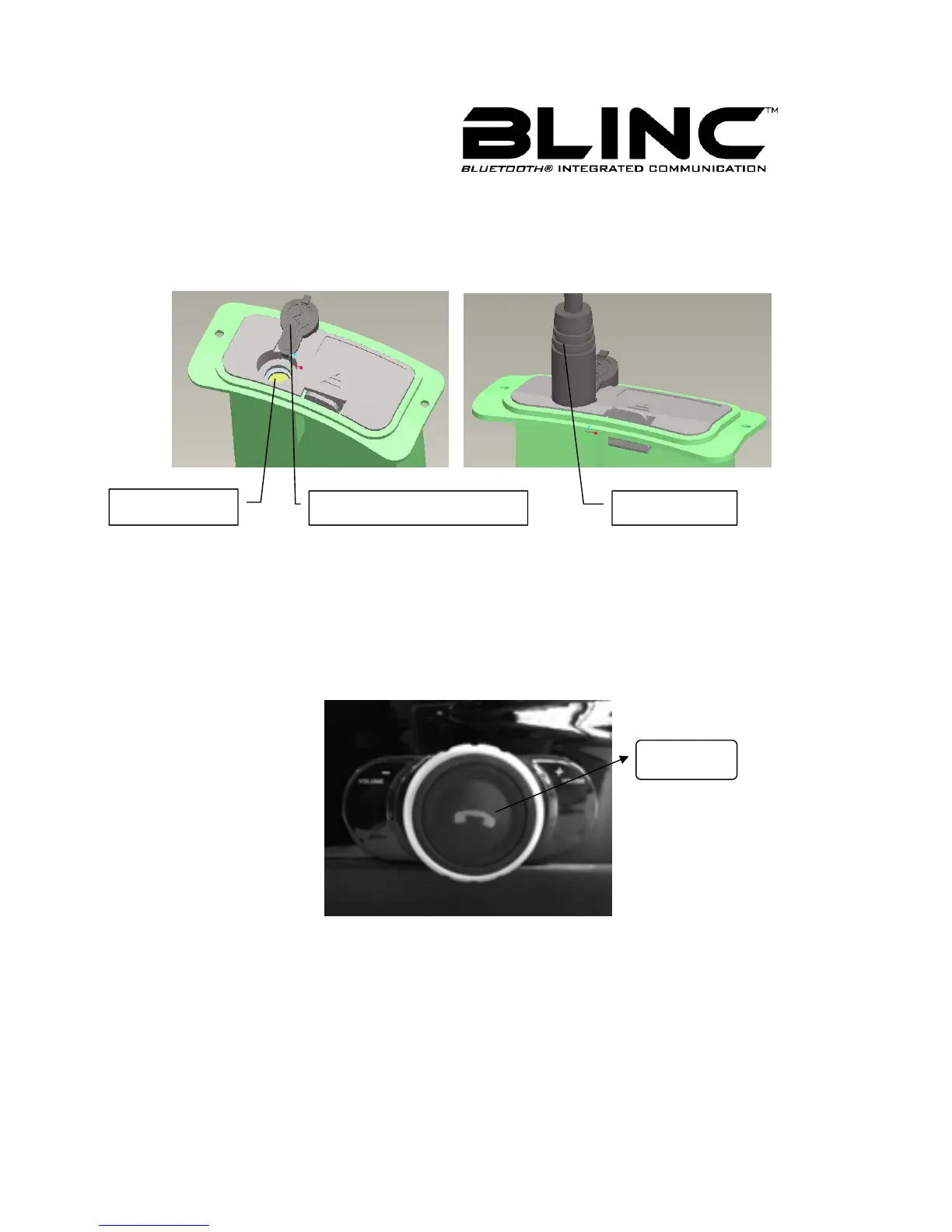
the Cover, and circumgyrate about 180 degrees. Expose the Charging Port and Plug
the Charger Plug into the Bluetooth headset’s Charging Port. At this time near the
Control Buttons the indicator light turns red when the battery is charging. As Figure 2
and Figure 3 shown.
Figure 2 Figure3
To turn the BLINC™ headset on
Press and hold the Call Handling Button (MFB) for approximately 2~4
seconds until you hear a short low tone followed by a short high tone. The BLINC™
headset indicator light flashes blue.
When turned on, the BLINC™ headset automatically establishes hands-free
phone and streaming music connections with the last connected Bluetooth devices
(phone and/or music devices).
Charging Port
Charging Port Rubber Cover Charging Plug
Push Here



 To Next Page