Focus
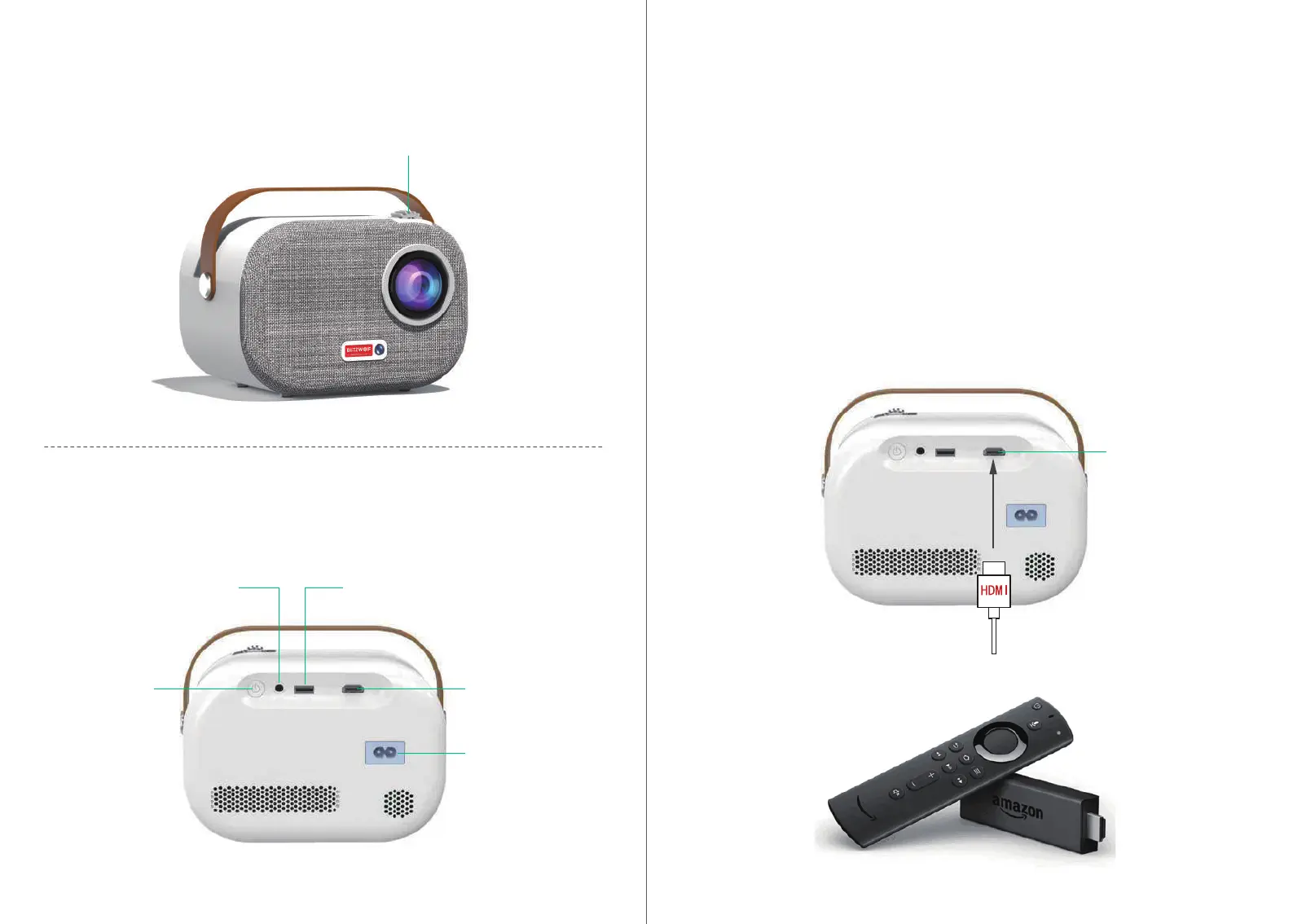
Slide the focus wheel to the left or right to make the picture clear.
Connect the HD cord to the projector and click HDMI on the home screen which will appear in
syncwithin ve seconds.
Connection & Key
Device po.
Focus wheel
Audio inteace USB 2.0
HDMI
Power inteace
Power switch
HDMI
Connect External Multi-media Inteace
1.Plug the Fire TV device into projector HDMI po.
2.Check the Audio setting on your Amazon Fire TV or Fire Stick.
3.lf you're still experiencing audio issues, t turning o Dolby Digital Plus:On your Amazon
Fire TV or Fire Stick, go to Settings> Display & Sounds> Audio> Dolby Digital Output and then
turn Dolby Digital Plus OFF.
Notes:
It can be combined with Amazon Fire TV Stick to connect the projector
HDMI
0302


 To Next Page