Shocuts Buttom
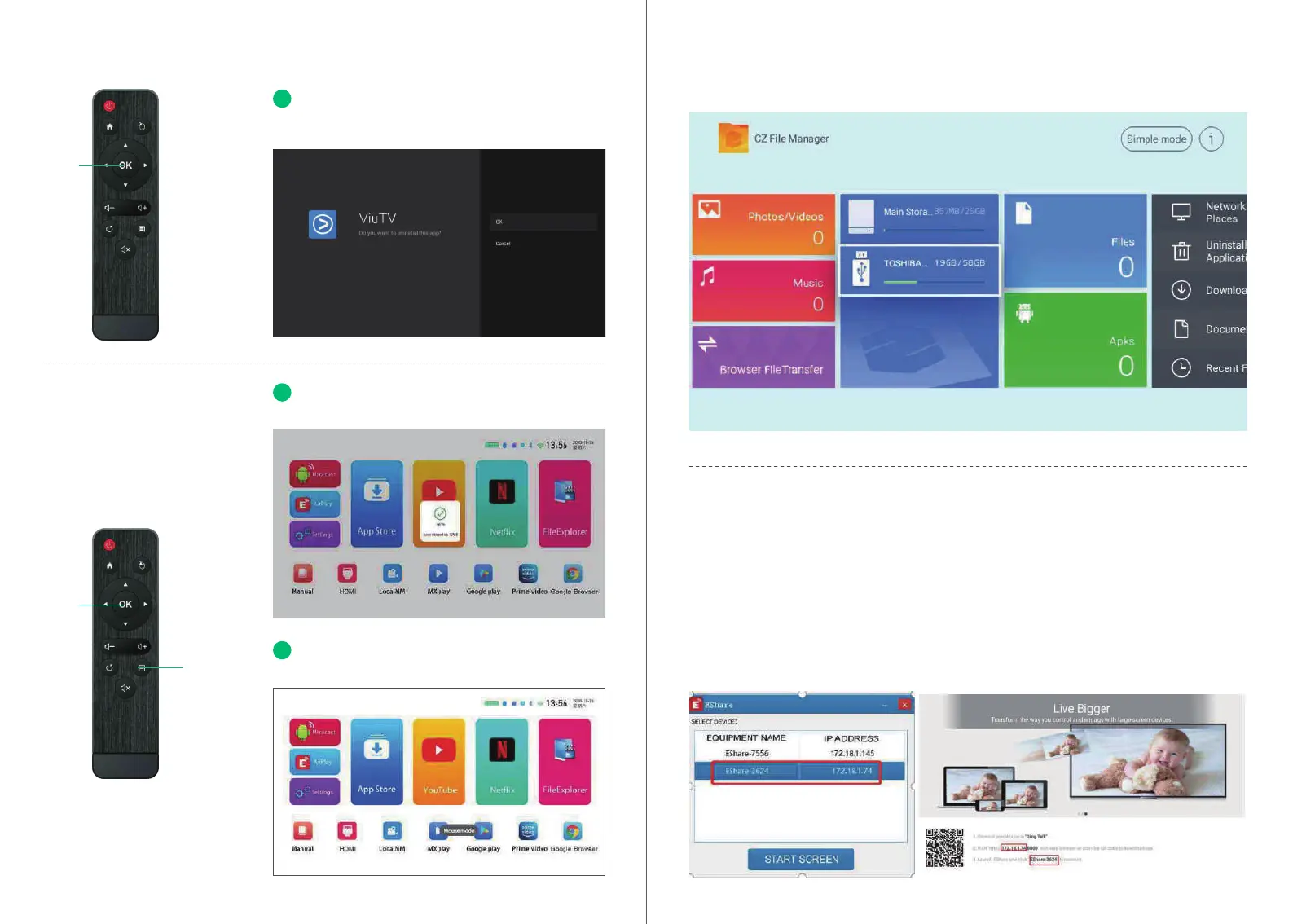
Delete the apps you download by pressing and
holding down the ok button for two seconds.
File Explorer
Plesae check the les in File Explorer when you inse U disk or TF card.
Wireless screen (Windows)
1. Please conrm your Windows and projector IP addresses are connected to the same LAN.
2. Use the following link to download and install:
3. Click Esharecent-STD, and the name and IP address of the projection device will appear. Click
"Sta Screen Transmission" to begin using the wireless screen.
You can clean the memo by holding the home
button for two seconds.
Long press the menu key to switch between mouse
mode and remote control mode.
01
02
03
OK
Home
Menu
Windows with screen operation guide
http://cdn.sharemax.cn/app/EShareClient-STD.exe
0504


 To Next Page