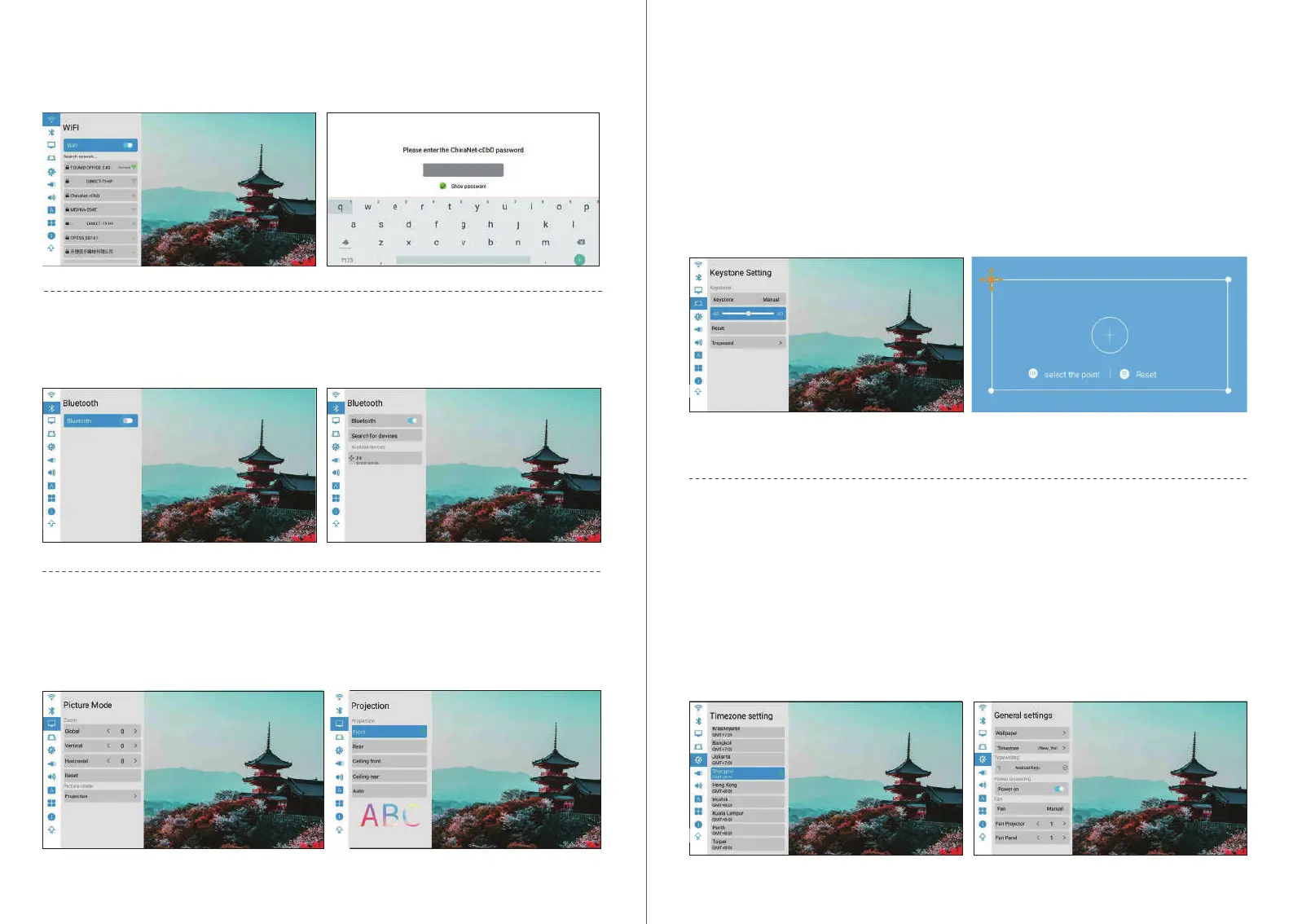
Bluetooth Connection
Homepage> Settings> Bluetooth >Open Bluetooth.
Trapezoidal settings
1.Automatic Trapezium Calibration: Turn on the automatic trapezoid calibration option and
check horizontal 0°calibration option.
2.Manual Setup: Adjust the trapezoidal shape on the basis of the oset. After clicking to
restore the default option, the initial state will be automatically reset.
3.Quadrangular Trapezium Calibration: The four angles of trapezoid can achieve the free
adjustment, and click "OK" to switch to the next angle, then click the menu key to return to the
default settings.
Trapezoidal Calibration: Automatic/manual trapezoidal Calibration
General settings
1.Wallpaper: General Settings > Wallpaper > Left and right keys to select wallpaper.
2.Time zone: General Settings > Zime zone > Select your time zone.
3.Input method: You can switch dierent input methods after installing other input methods.
4.Power on: After this option is turned on, the machine will sta automatically when the power
is connected.
5.Fan setting: Automatic/ manual (power adjustment of the whole fan and screen fan).
WIFI Connection
Homepage>Settings>Wi >Turn on wi option.
Picture mode
1.Projection mode: Front/Rear/ Ceiling front/Ceiling rear/Auto.
2.Stepless zoom: Global / Veical / Horizontal.
1110


 To Next Page