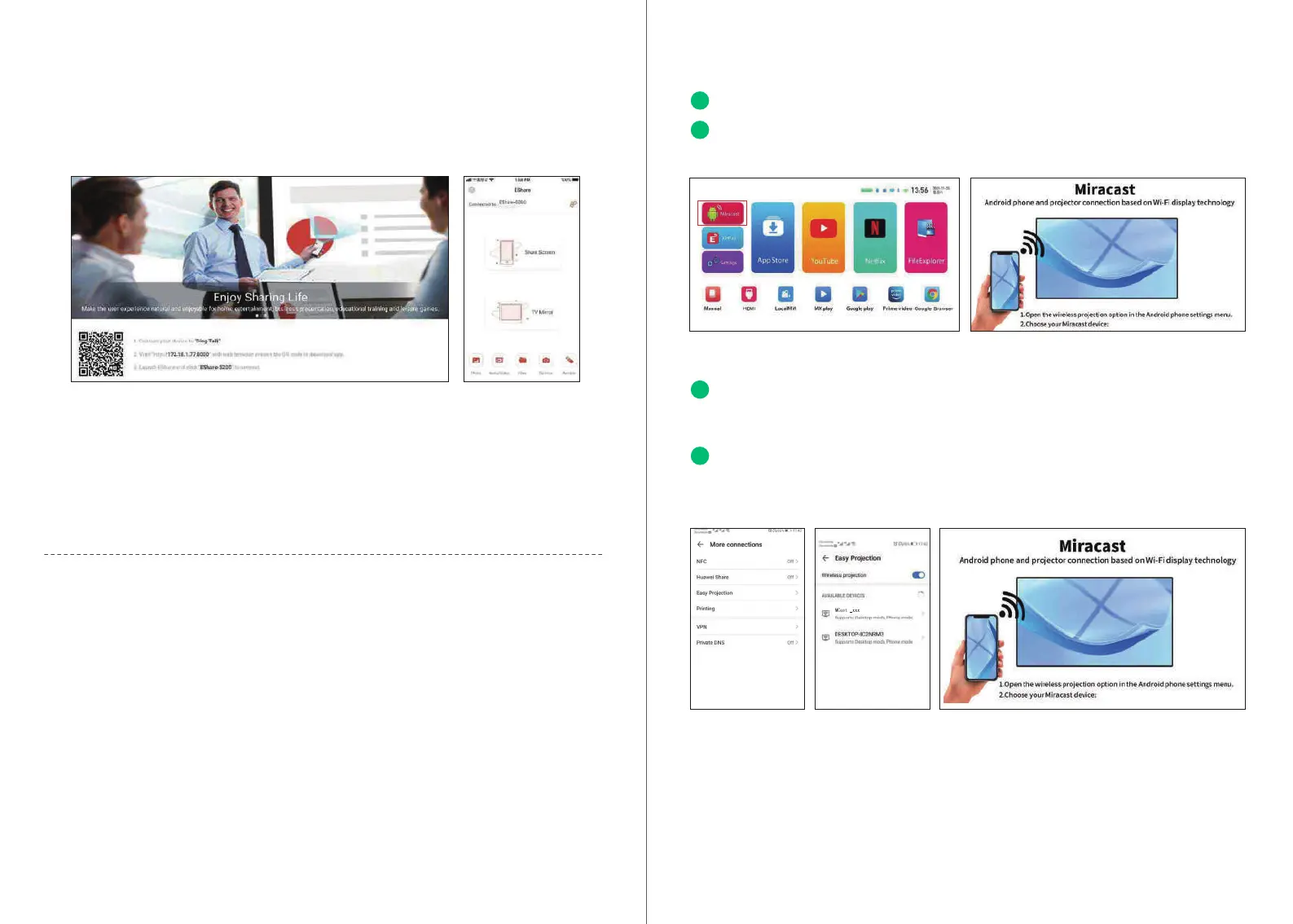
iPhone Airplay reverse
1.Click to open the projected Airplay, then follow the prompts on the page to scan the QR
code of your iPhone, download and install the corresponding Eshare APP.
2.Open the Eshare app on the mobile phone, and the device list will automatically search for
the internal projection device of the same network.
3.Click the projection device (Eshare-****), "one-click screen transmission" and "Reverse
screen transmission" will appear simultaneously.
4.Click "Reverse Screen Transmission".
Screen Projection operation Guide
Wireless screen
Note:
It is recommended to use the built-in Android screen and Eshare android screen. The voice
cannot be transmitted (the system audio acquisition permission cannot be obtained).
Android with multi-screen interactive models with screen tutorial
(Android phone)
Android Miracast operation guide
The android phone and the projector connect the WIFI.
Enter settings and click miracast.
01
02
Open "More Connections or Screen Projection for Android Phone" on the mobile phone
(there are a variety of models of Android mobile phones which may have dierent names,
and the mobile phone to be referred is HUAWEI mobile phone).
The phone and projector will seach for same model in a few seconds and connect
successfully.
03
04
0908


 To Next Page