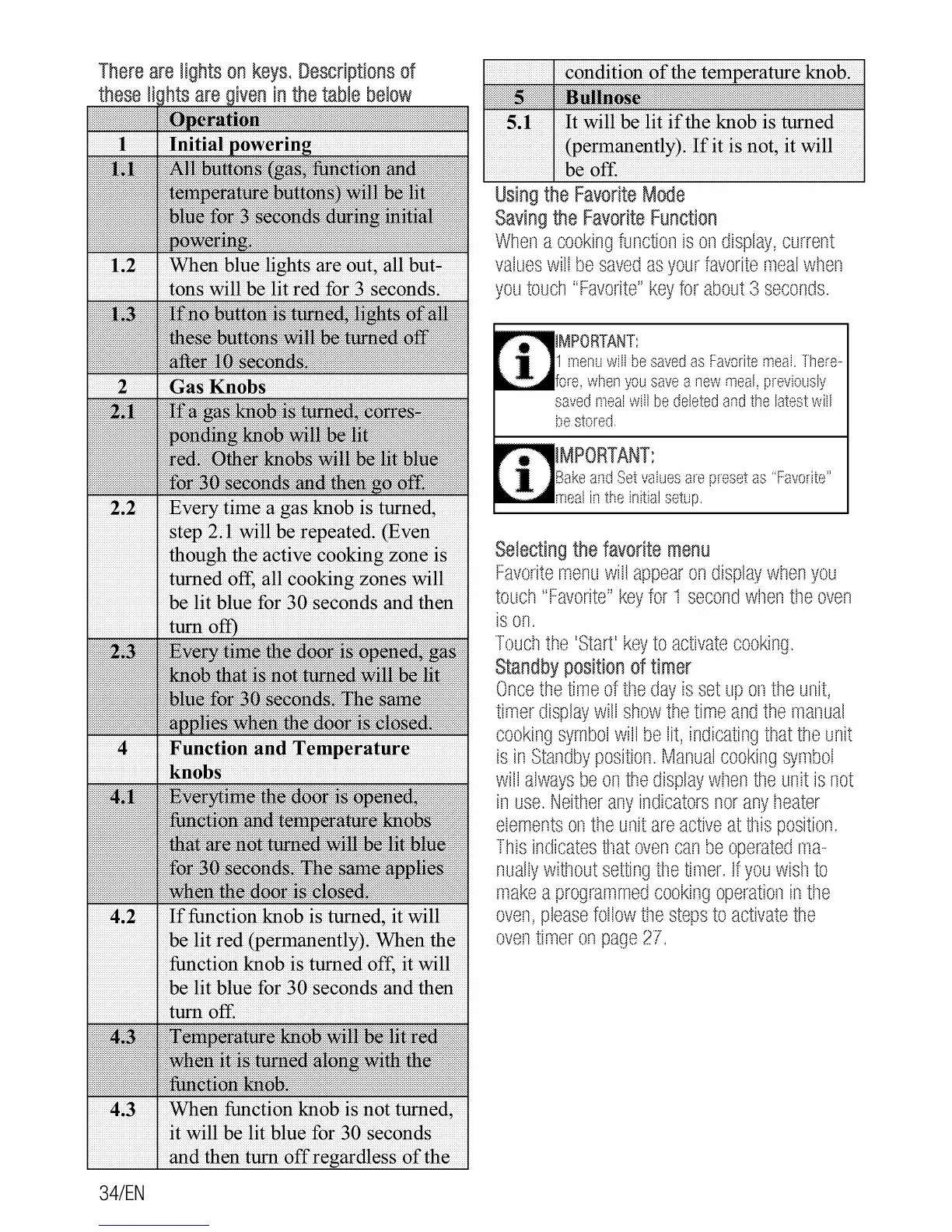
There
are
lights
on
keys.
Descriptions
of
these
I
are
in
the
table
below
2.2 Every
time
a gas knob is turned,
step 2.1 will be repeated. (Even
though the active cooking zone
is
turned off, all cooking zones will
be
lit
blue for
30
seconds and then
4.2
If
function knob is turned, it will
be
lit
red
(permanently). When the
function knob is turned off,
it
will
be
lit
blue for
30
seconds and then
turn off.
4.3 When function knob is
not
turned,
it
will
be
lit blue for
30
seconds
and
then turn
off
of
the
34/EN
It
will be lit
if
the knob is turned
(permanently).
If
it is not, it will
be
off.
Using
the
Favorite
Mode
Saving
the
Favorite
Function
When
a
cooking
function
is
on
display,
current
values
will
be
saved
as
your
favorite
meal
when
you
touch
"Favorite"
key
for
about
3
seconds.
1
menu
will
be
saved
as
Favorite
meaL
There-
,...._
••
ore,
when
you
save
a
new
meal,
previously
saved
meal
wiil
be
deleted
and
the
latest
will
IMPORTANT:
Bake
and
Set
vaiues
are
preset
as
"Favorite"
meal
in
the
initial
setup.
Selecting
the
favorite
menu
Favorite
menu
will
appear
on
display
wr1en
you
touch
"Favorite"
key
for
1
second
wl1en
tile
oven
is
on.
Touctl
ttle
'Start'
key
to
activate
cooking.
Standby
position
of
timer
Once
the
time
of
tt1e
day
is
set
up
on
the
unit,
timer
display
will
show
the
time
and
the
manual
cooking
symbol
will
be
lit,
indicating
that
the
unit
is
in
Standby
position.
Manual
cooking
symbol
will
always
be
on
the
display
wl1en
the
unit
is
not
in
use.
Neither
any
indicators
nor
any
l1eater
elements
on
ttle
unit
are
active
at
U1is
position.
This
indicates
Umt
oven
can
be
operated
ma-
nually
without
setting
U1e
timer.
If
you
wist1
to
make
a
programmed
cooking
operation
in
tile
oven,
please
follow
tile
steps
to
activate
the
oven
timer
on
page
27.



 To Next Page