EasyManua.ls Logo

Blomberg BGR30420SS - Page 33

Blomberg BGR30420SS
56 pages
Print Icon
To Next Page IconTo Next Page
To Previous Page IconTo Previous Page
Loading...
,
'Booster'
disappears
from
the
display
as
soon
as
the
oven
reaches
the
desired
temperature
and
oven
resumes
operating
in
the
function
it
was
in
before
the
Booster
function.
2-
Touch
the
'Booster'
key
again
in
order
to
enable
or
disable
booster
function.
If
'Booster'
appears
on
the
display,
it
means
it
is
enablerJ.
If
not,
it
means
it
is
disabled.
Using
the
key
lock
You
can
prevent
oven
from
being
intervened
witr1
by
activating
ttle
key
lock
function.
m
iMPORTANT:
Key
lock
can
be
enabled
only
when
the
oven
is
in
Standby
position.
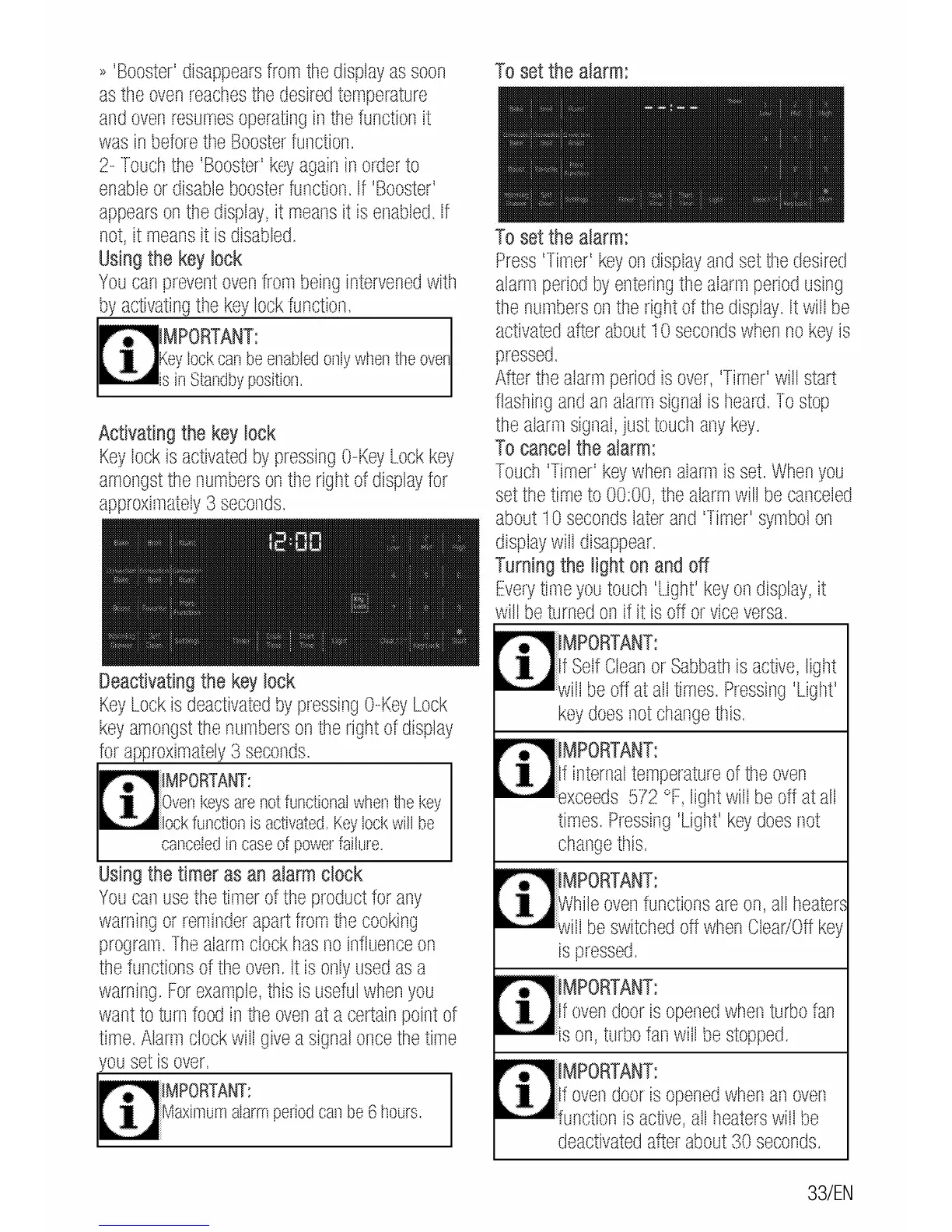
Activating
the
key
lock
Key
lock
is
activated
by
pressing
0-Key
Lock
key
amongst
the
numbers
on
tile
right
of
display
for
approximately
3
seconds.
Deactivating
the
key
lock
Key
Lock
is
deactivated
by
pressing
0-Key
Lock
key
amongst
the
numbers
on
ttle
right
of
display
for
a
roximatel
3
seconds.
PORT
ANT:
Oven
keys
are
not
functional
wt1en
tile
key
~--•·lock
function
is
activated.
Key
lock
will
be
canceled
in
case
of
power
failure.
Using
the
timer
as
an
alarm
clock
You
can
use
the
timer
of
the
product
for
any
warning
or
reminder
apart
from
tr1e
cooking
program.
The
alarm
clock
has
no
influence
on
the
functions
of
tile
oven.
It
is
only
used
as
a
warning.
For
example,
this
is
useful
when
you
want
to
turn
food
in
the
oven
at
a
certain
point
of
time.
Alarm
clock
will
give
a
signal
once
the
time
ou
set
is
over.
PORT
ANT:
To
set
the
alarm:
To
set
the
alarm:
Press
'Timer'
key
on
display
and
set
t11e
desired
alarm
period
by
entering
the
alarm
period
using
the
numbers
on
the
right
of
the
display.
It
will
be
activated
after
about
1 0
seconds
when
no
key
is
pressed.
After
the
alarm
period
is
over,
'Timer'
will
start
flashing
and
an
alarm
signal
is
tleard.
To
stop
the
alarm
signal,
just
touctl
any
key.
To
cancel
the
alarm:
Touch
'Timer'
key
when
alarm
is
set.
When
you
set
the
time
to
00:00,
the
alarm
will
be
canceled
about
1 0
seconds
later
and
'Timer'
symbol
on
display
will
disappear.
Turning
the
light
on
and
off
Every
time
you
toucl1
'Light'
key
on
display,
it
will
be
turnerJ
on
if it
is
off
or
vice
versa.
MPORTANT:
f
Self
Clean
or
Sabbath
is
active,
ligllt
,....-•wi'll
be
off
at
all
times.
Pressing
'Light'
key
does
not
change
this.
If
internal
temperature
of
tile
oven
,......-exceeds
572
°F,
light
will
be
off
at
all
times.
Pressing
'Ligllt'
key
does
not
change
tr1is.
While
oven
functions
are
on,
all
heater,
,.....-will
be
switched
off
when
Clear/Off
key
is
pressed.
f
oven
door
is
opened
when
turbo
fan
,....-•is
on,
turbo
fan
will
be
stopped.
If
oven
door
is
opened
when
an
oven
,.....-function
is
active,
all
heaters
will
be
rJeactivaterJ
after
about
30
seconrJs.
33/EN

Related product manuals