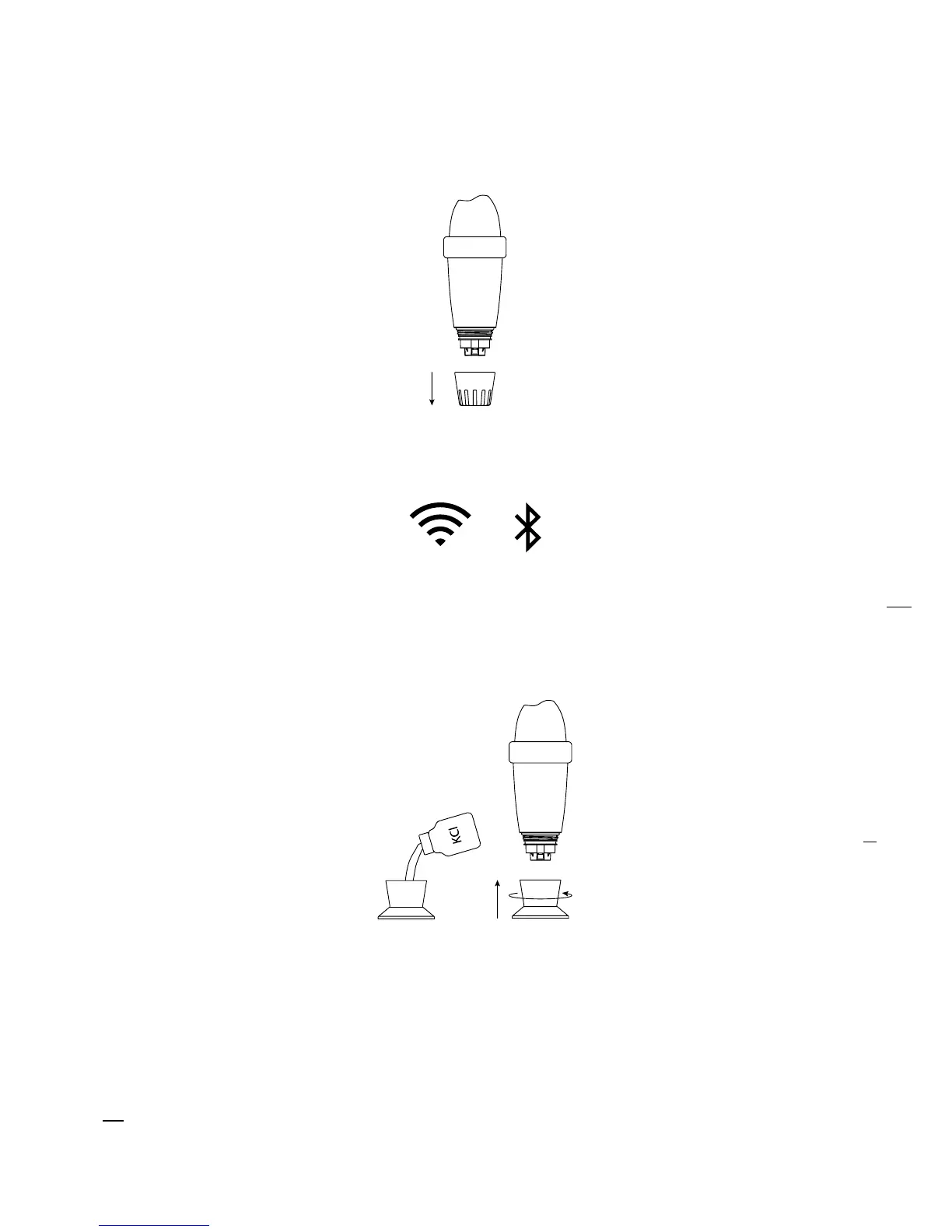
D. Putting Blue Connect into standby mode for winterization/storage
Winterization:
Remove Blue Connect from the water. Remove the usage cap.
Activate the Internet (Wi-Fi or 4G) and Bluetooth® on your smartphone.
NB: Stay close to the device throughout the whole standby process.
In the app, in “Settings” » “Blue Connect”, press on “Put into standby mode”.
Rinse the storage cap with clean water and wipe it. Place KCI
7
(saturated potassium chloride)
or pH4 in the storage cap and screw it.
Validate the standby mode and store Blue Connect sheltered from frost.
1.
2.
3.
4.
7
The KCl present in the storage cap can cause the formation of agglomerated salt at the junction with the body of the device,
but this is not dangerous in any case. Simply rinse with clear water.
5.


 To Next Page