Blue Connect installation
A. How to start up Blue Connect?
In the app, in “Settings” » “Blue Connect”, press “Add” and insert the code (key) and the
three last digits of the serial number (SN), which can both be found on the back of the start
guide or on the storage cap of the device.
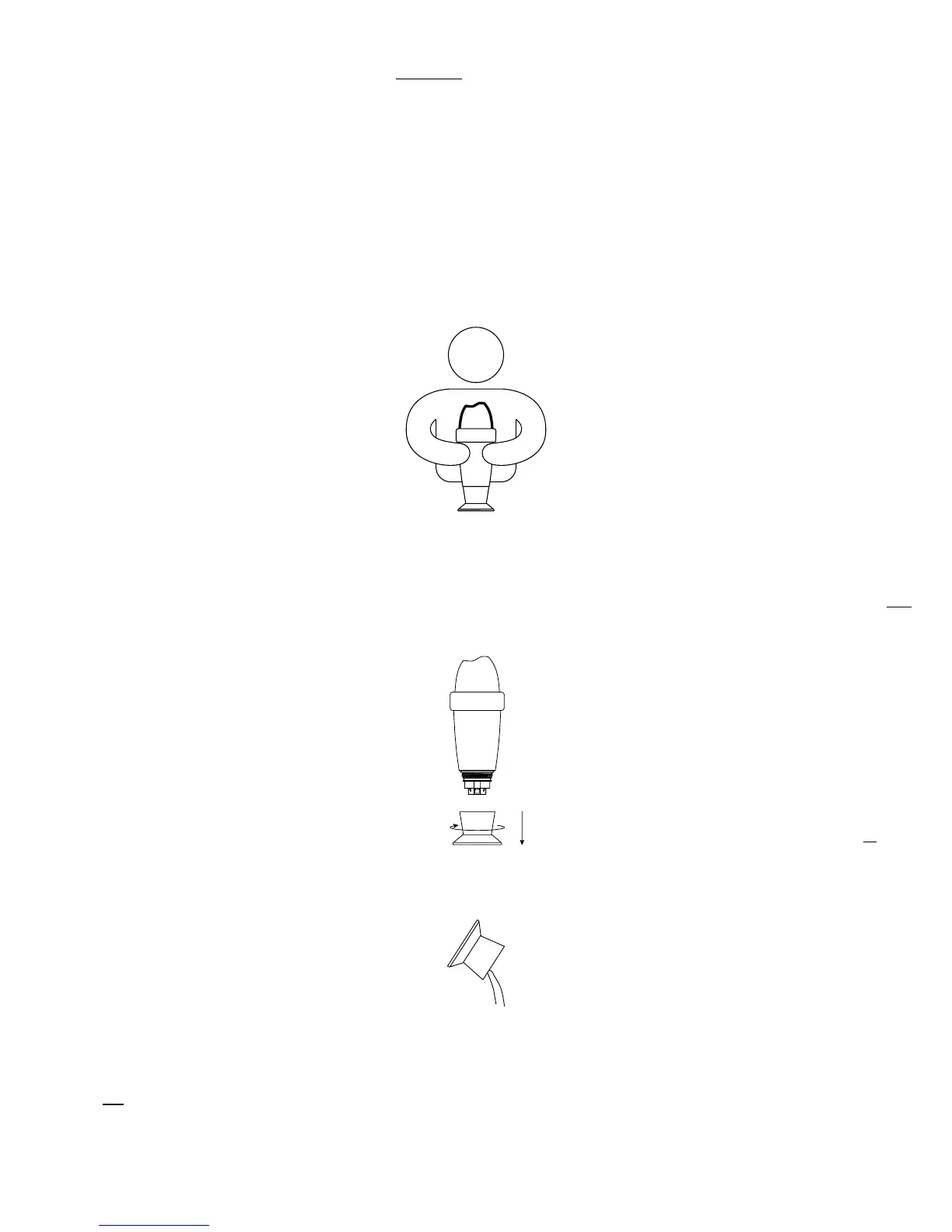
To start the device, you must activate it. The top of the device has a wave shape. Place the
trough of the wave towards yourself and shake it sharply. You will hear two beeps, meaning
that the initial activation was successful.
Press “ok” to finalize the activation process. The device is now linked to your account and
permanently linked to Sigfox®
4
network.
Place Blue Connect upright on the storage cap and unscrew it.
Empty the storage cap, rinse in clear water and store it.
1.
2.
3.
4.
5.
4
Sigfox® is a telecommunications network specialised in the Internet of Things. It is a cellular network that does not interfere
with domestic Wi-Fi. You can check if your swimming pool is covered by the Sigfox® network by visiting www.sigfox.com/
coverage. Blue Connect uses Sigfox® to transfer data to your smartphone.


 To Next Page