10.0 pH calibration cont.
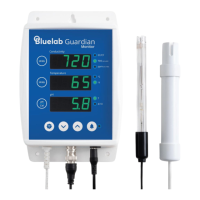
To calibrate the pH
Clean EC and pH probe tips.
See section 14.0 (the pH probe does not
require cleaning before the rst use).
pH 7.0 calibration
a) Prepare a small amount of pH 7.0
calibration solution in a container.
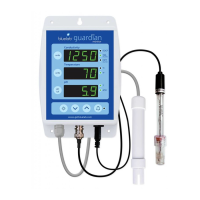
b) Ensure the Guardian Monitor is plugged
in and in operation mode.
c) Rinse EC and pH probe tips in fresh
water, shake off excess water and place
both probes together in the pH 7.0
calibration solution. Wait at least one
minute for reading to stabilize.
d) Press and hold the pH cal button for a few
seconds until ‘PH’ and ‘CAL’ appear in the
windows, then release the pH cal button.
The ‘7’ LED will glow green. All three
windows will return to monitoring mode
with all current values being displayed.
e) If ‘Err’ is displayed see the
troubleshooting guide on section 16.0.
pH 4.0/10.0 calibration
a) Prepare a small amount of pH 4.0 or
pH 10.0 calibration solution in a container.
b) Rinse EC and pH probe tips in fresh
water, shake off excess water and place
both probes in either pH 4.0 or pH 10.0
calibration solution. Wait at least one
minute for reading to stabilize.
c) Press and hold the pH cal button for a few
seconds until ‘PH’ and ‘CAL’ appear in the
windows, then release the pH cal button.
The 4/10 LED will glow green. All three
windows will return to monitoring mode
with all current values being displayed.
d) If ‘Err’ is displayed see the
troubleshooting guide on section 16.0.
e) The Guardian Monitor is now calibrated
and ready for use.
pH LEDs


 To Next Page
 Loading...