40
Just Power On
(4) View fault history, BMS, DSP, ARM, HMI hardware version.
9. TOUCHSCREEN OPERATION
Note:
● The LCD touch screen is resistive. It is recommended to lightly tap or touch
the screen with fingers till it 'beeps'.
● To maximize the lifespan of the LCD screen, please avoid direct sunlight.
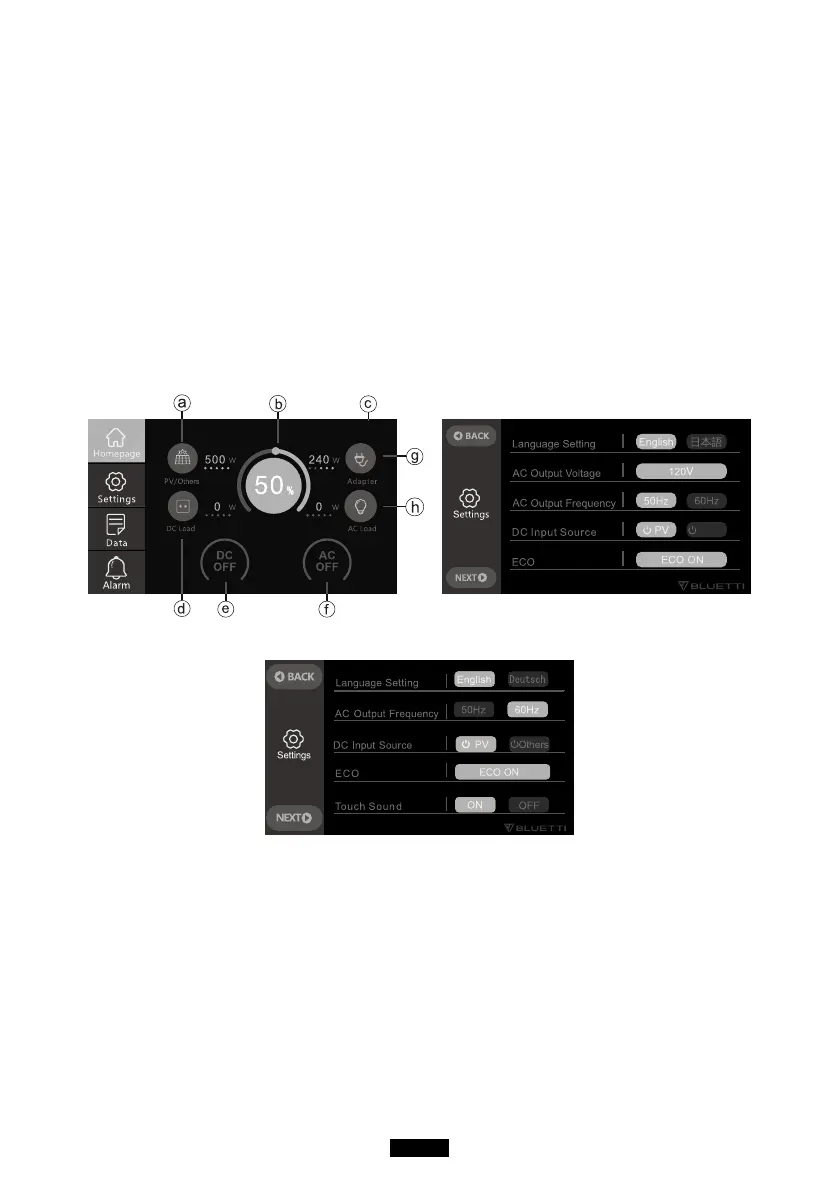
(1) When pressing the power button, the main page will display as Homepage.
2021-07-20 10 : 20 : 21
(Homepage) (Figure 1)
Others
(220-240V Version)
a. PV/Others charging Info
b. BMS Info
c. Date/Time
d. DC Load Info
e. DC ON/OFF Switch
f. AC ON/OFF Switch
g. Adapter Charging Info
h. AC Load Info



 To Next Page