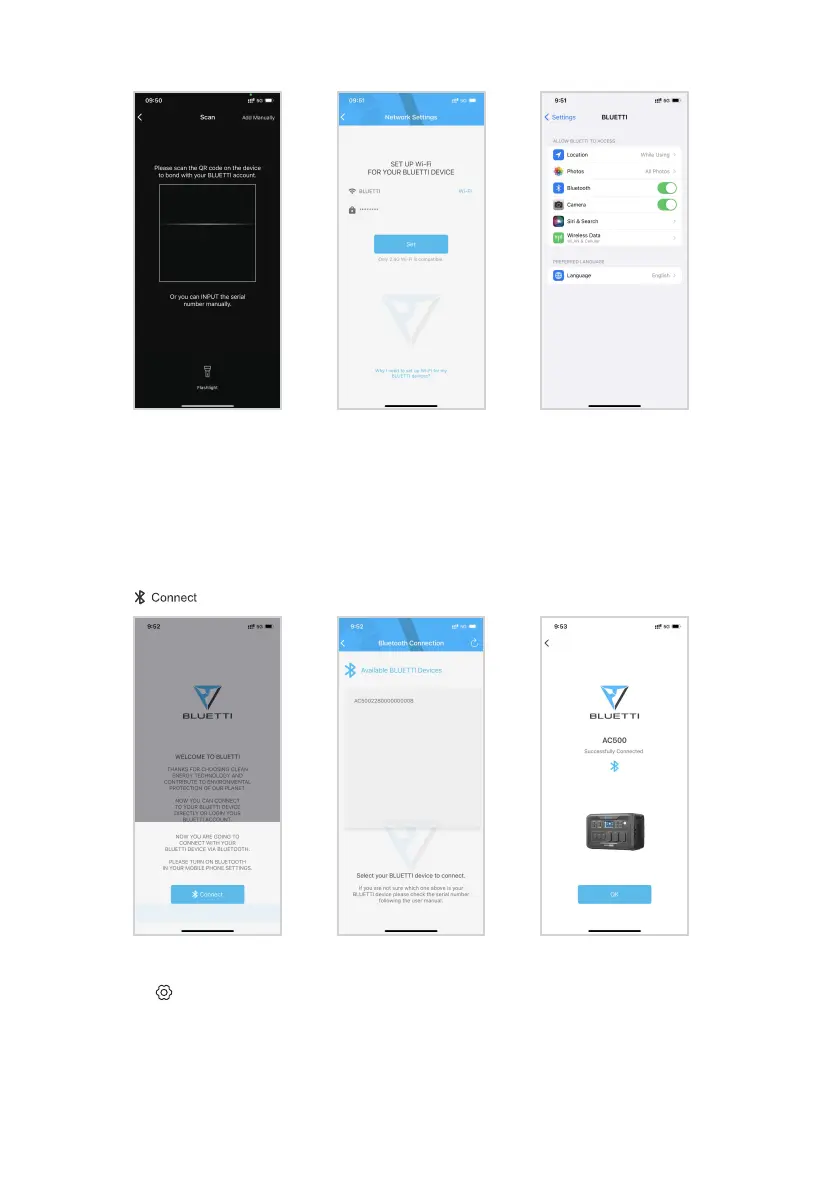
(2) Scan the QR code on the unit and set the WiFi network.
Bluetooth Connection
23
Note: The unit supports 2.4GHz WiFi ONLY.
Find the SN(Serial Number) on the unit or from the ‘Product Info.’
If the WiFi connection fails, go to Settings(on your phone), tap BLUETTI and allow
the network.
Note: For better IOT experience, please register the unit with WiFi.
Press ‘ ’ to customize the settings.
The unit supports over-the-air (OTA) firmware upgrades.
Keep your phone no more than 16.4ft/5m away from the unit during the upgrade.
Press the ‘ ’ and pair with the unit.


 To Next Page