This document is the user manual for the BLUETTI AC500, a portable power station designed for both indoor and outdoor use, providing green energy storage solutions. It emphasizes BLUETTI's commitment to sustainability and its global presence.
The BLUETTI AC500 functions as a versatile power station capable of providing AC and DC output, with options for capacity expansion using B300S battery modules. It supports various charging methods, including AC, PV (solar), car, and lead-acid battery charging, making it adaptable to different environments and power sources. The device is designed for ease of use with an intuitive LCD screen that displays real-time charge/discharge status and allows navigation to detailed product information and settings.
Key usage features include:
- Powering On/Off: The unit can be powered on or off by pressing the power button on either the AC500 or a connected B300S battery module. AC and DC outputs can be individually enabled or disabled via the LCD screen. The unit automatically turns on when connected to the grid or PV, and automatically turns off after 4 hours of no input and output, or if both AC and DC outputs are off.
- LCD Screen Interface: The homepage of the LCD screen provides an overview of PV input, battery capacity, date/time, DC load, AC load, DC ON/OFF status, AC ON/OFF status, and grid input.
- Settings Configuration: The settings menu allows users to adjust language, AC output voltage and frequency, input sources for DC1 and DC2 (PV or Others), ECO Mode, machine type (e.g., Single Phase), working mode (e.g., Standard UPS), Silent Mode, and Max. Current Settings. It's crucial to check all settings before initial use, especially AC frequency, which can only be adjusted when AC output is off.
- Data Monitoring: The data section provides comprehensive information on product details, input and output status, battery information (for connected battery packs), and a history of alarms, which can be manually cleared.
- AC Charging: The AC500 can be charged from a wall outlet using 15A, 30A, or 50A AC charging cables, or integrated with a smart home panel. Users can set the Max. Grid Input Current, which is 15A by default and only active when connected to the grid.
- PV Charging: The unit supports dual PV input via DC input cables. Users connect solar panels in series or parallel to the AC500 and verify the connection on the LCD screen. Specific voltage and power requirements for solar panels must be met. For high OCV panels (150-550V), a D300S PV Voltage Step Down Module can be used.
- Car Charging: The AC500 can be charged from a vehicle's cigarette lighter port using the DC input cable and car charging cable. The input source for DC1/DC2 must be set to 'Others' to enable car charging, with a maximum input current of 8.2A.
- Lead-acid Battery Charging: Similar to car charging, the unit can be charged from a lead-acid battery via the DC input cable and a lead-acid battery charging cable. The DC1/DC2 input source needs to be set to 'Others', and the positive and negative terminals must be correctly clamped. The maximum input current is 8.2A.
- Dual Charging: The system supports various dual charging combinations by setting the DC1/DC2 input source to 'PV' (for AC/Generator + PV Charging) or 'Others' (for AC/Generator + Adapter/Car/Lead-acid Battery Charging). An option for 'PV Parallel Enable' allows for excessive PV charging (>1500W, <150V).
- Capacity Expansion: The AC500 can expand its capacity by connecting to B300S battery modules using the P150D battery expansion cable. This cable features an enable/disable function for battery expansion and a lock/unlock mechanism for the connection. To achieve the full 5000W AC output, at least one expansion battery must be connected to each expansion port. With only one B300S, the maximum AC output is 4500W.
- Uninterruptible Power Supply (UPS) Modes:
- Standard UPS: The default mode where the grid charges the combo first, then powers connected devices. If the grid fails, the combo automatically takes over.
- Time Control UPS: Allows users to set specific off-peak times for grid charging and discharge times for powering loads, helping to save on electricity bills. It also includes settings for Battery SOC Low (when the combo stops powering loads) and Battery SOC High (when the combo charges from the grid).
- PV Priority UPS: Prioritizes solar charging. When battery SOC is above a set value, AC outlets are powered by the grid and the combo. When SOC is lower, the grid charges both the combo and devices. Users can reserve a portion of battery capacity for PV charging only.
- Customized UPS: Offers full flexibility to adjust all settings to meet personalized power supply requirements, including Grid Charge Status (enable/disable grid charging) and Time Control Status (enable/disable time-based charging/discharging).
- Power Lifting Mode: Enabled via the BLUETTI App, this mode allows the combo to power high-drain pure resistive loads (up to 6000W) while maintaining a rated output power of 5000W. It requires the combo to be disconnected from the grid and the B300S not to be overloaded. The AC500 automatically adjusts output voltage based on device resistance, but the mode fails if the voltage drops below 70% of its rated value. This mode is specifically for devices with heating elements like heaters or irons.
- BLUETTI App Integration: The BLUETTI App, available on App Store and Google Play, enables WiFi and Bluetooth connectivity for enhanced control and monitoring.
- WiFi Connection: Users scan a QR code on the unit or manually input the serial number to bond with their BLUETTI account and set up the 2.4GHz WiFi network.
- Bluetooth Connection: Users can connect and pair the unit via Bluetooth.
- Customization and Firmware Upgrades: The app allows for customization of settings and supports over-the-air (OTA) firmware upgrades for ARM, DSP, HMI, and BMS components.
Maintenance features include:
- Storage Recommendations: For long-term storage, the unit should be powered off, disconnected from the outlet, and charged to 50-70% SOC every 6 months.
- Cleaning: The unit should be cleaned gently and carefully with a dry cloth.
- Handling: Mechanical assistance (e.g., trolleys) is recommended for handling. Nothing should be stacked on top of the unit during storage or use.
- Temperature: Recommended storage temperature is -13-104°F (-25-40°C).
The manual also provides troubleshooting for common issues, such as solar panel charging failures, and guidance on choosing the appropriate UPS mode. It highlights the importance of using genuine BLUETTI accessories and warns against unauthorized modifications.

 Need help?
 General
 Weight and Dimensions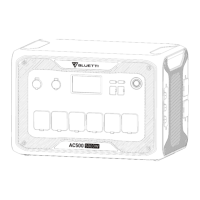

 To Next Page
