6.2 Solar Charging
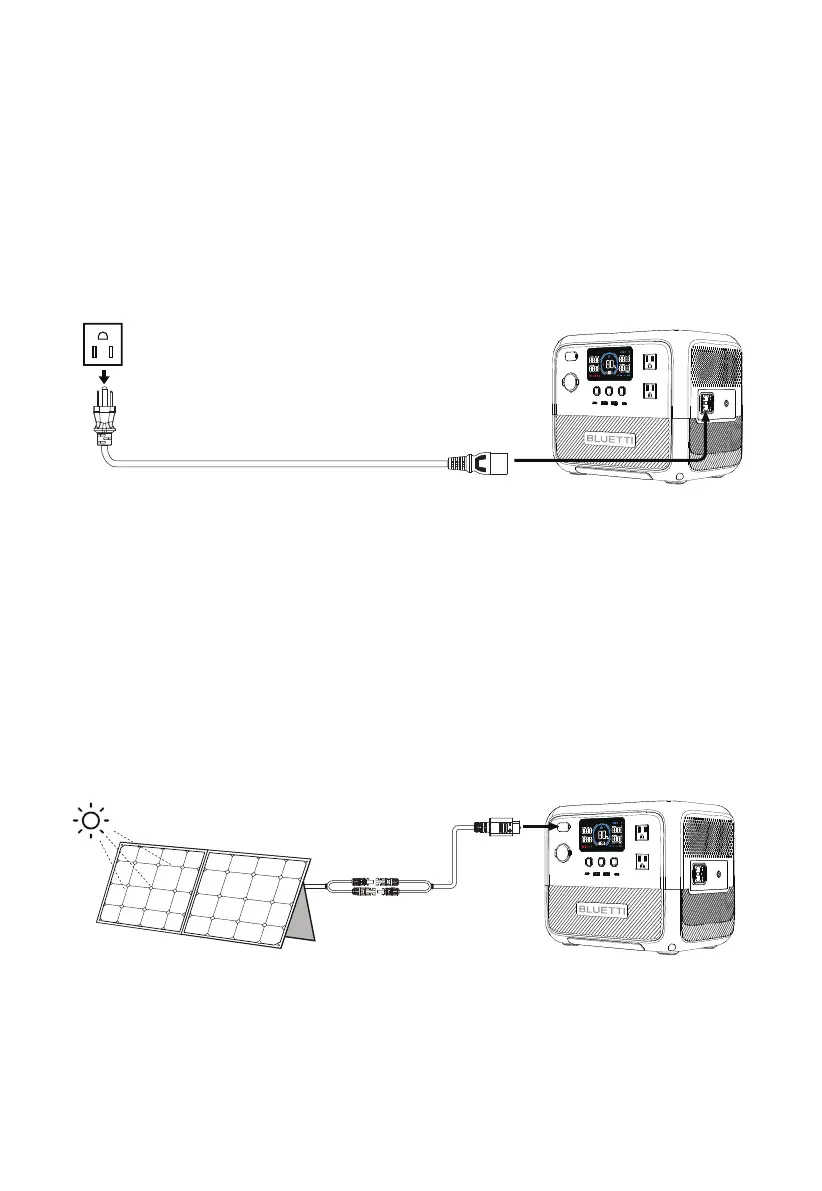
Connect the solar panels (in series or parallel) to AC70 via the solar charging cable. When
receiving a continuous input of 500W, the AC70 will automatically stop charging within 2
hours. However, please be aware that the charging time may vary based on weather
conditions, sunlight intensity, panel orientation, and other variables.
Note: Make sure your solar panels meet the following requirements:
Voc: 12V-58V Current: 10A Max. Power: 500W Max.
6.1 AC Charging
Plug the AC70 into a standard wall outlet and start charging. Once it's fully charged, the
AC70 automatically stops charging to prevent overcharging. For a fast charge, you can
enable Turbo Charging in the BLUETTI App, which allows for an 80% capacity in just 45
minutes at an ambient temperature of 25℃ (77 ℉).
AC70 supports four charging methods: AC, solar, car, and generator.
6. Charging
JUST POWER ON14



 To Next Page