5. Replacement & Disposal
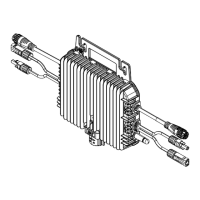
5.1 Replace the D100P
Step 1: Disconnect D100P from other devices in order:
1.Unplug the entire system from the home grid.
2.Disconnect D100P from PV modules and BLUETTI batteries.
3.Disconnect D100P from the microinverter.
Step 2: Remove the old D100P
Unscrew the bolts that secure the D100P and remove it.
Step 3: Install the new D100P
Refer to Section 3.4 for detailed instructions.
Step 4: Reconnect the system to the home grid and confirm its operation status.
Step 5: Update device information and configure the network in the BLUETTI App.
5.2 D100P Storage & Disposal
• Store the D100P in a cool and dry place, keeping it away from flammable or combusti-
ble materials and gases.
• The product can be safely stored within a temperature range of -40°F to 185°F (-40°C to
85°C).
• Before restarting a D100P that has not been used for a long time, be sure to thoroughly
inspect the cables and the body of the unit. If any damage or deterioration is found, do
not restart the unit and contact BLUETTI support for assistance.
• The modules and components within the D100P may cause environmental pollution.
Please follow local regulations and guidelines for proper disposal when the D100P
reaches the end of its life cycle.
6. Specifications
Max. Input Power per MPPT
Max. Input Voltage
Start-up Voltage
MPPT Voltage Range
Number of MPPTs
Max. Input Current per MPPT
Short-circuit Current per MPPT
500W
60V
20V
25V to 55V
2
15A
20A
Model D100P
DC Input
JUST POWER ON 21
EN


 To Next Page