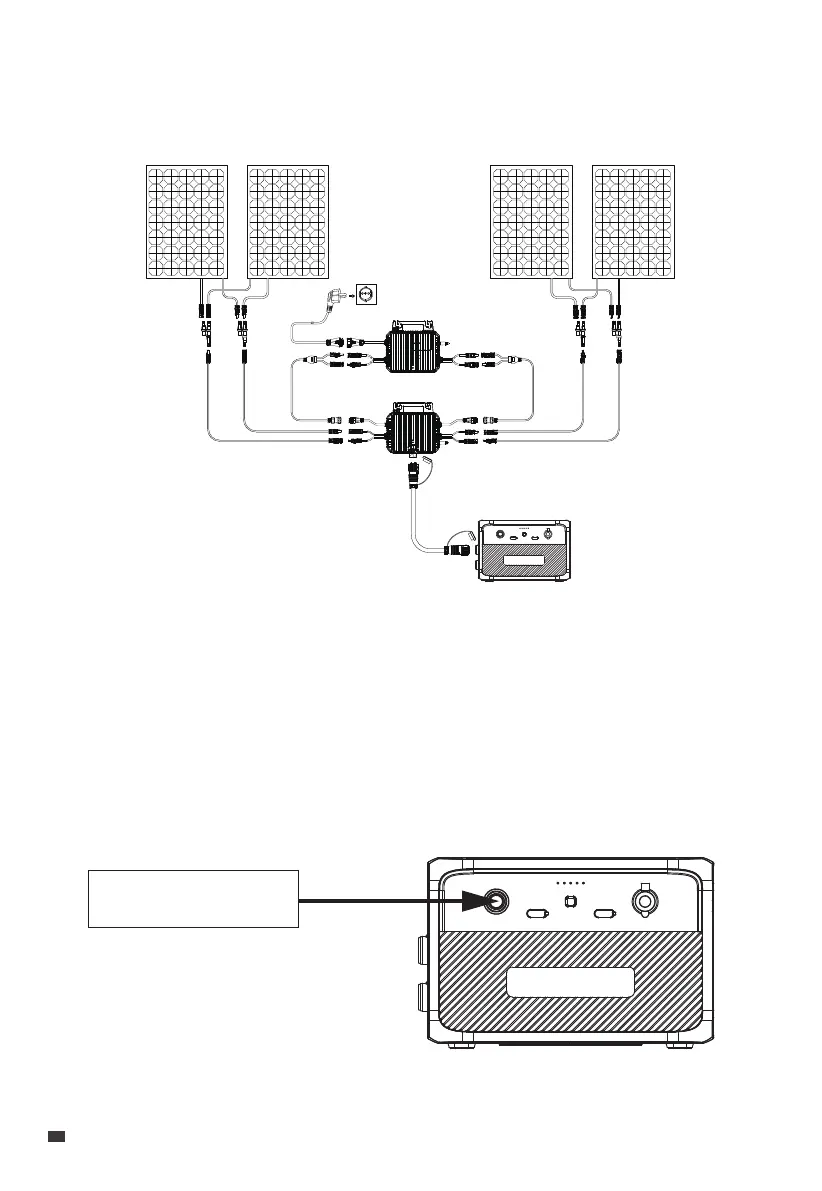
3.4.7 Integrate into the Home Supply System
Please refer to Step 4 in Section 3.4.1 of the A80P Microinverter User Manual for details.
3.5 Power On BLUETTI Battery
Press and hold the BLUETTI Batterys Power Button for more than 2 seconds to turn it on.
The power indicator will then illuminate.
• If you need a longer MC4 cable, you can purchase it from the official BLUETTI website
at: https://www.bluettipower.eu
The arrow in the figure below illustrates the connection.
Power Button
Microinverter
PV Controller
Battery Pack
EN
JUST POWER ON
18


 To Next Page