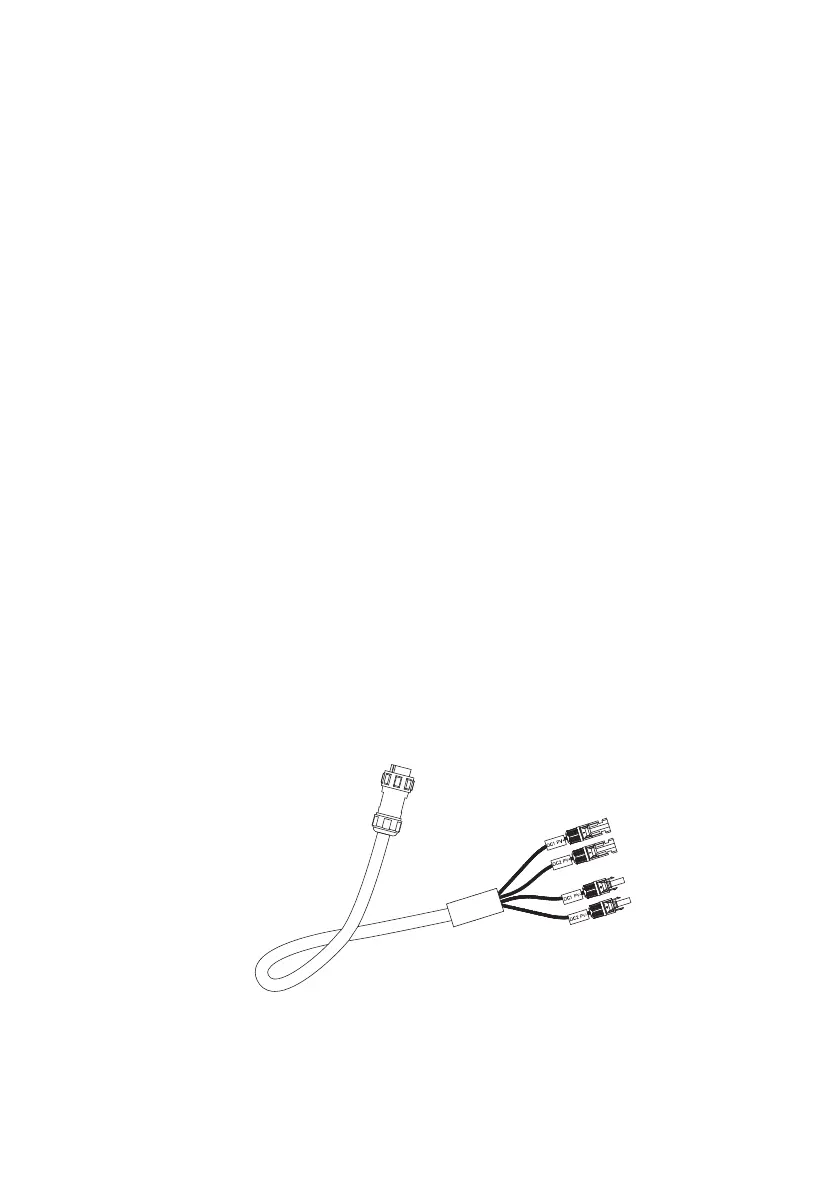
( DC Charging Cable )
Can be set on the touchscreen:
Homepage - Settings - DC1/DC2
Input Source
DC1/2 PV+
DC1/2 PV-
9.2 Settings
•
This section provides general setting configurations, including language, voltage,
frequency, current, working type, date/time, etc.
•
Touch “Settings” on the homepage to enter the settings interface.
9.2.1 AC Output Voltage & Frequency
•
NOTE: Please check the output voltage, frequency, and other parameters
BEFORE first use. You can tap the screen to set the parameters as needed.
AC frequency and voltage can only be adjusted after the AC output is turned off.
(Tap the AC icon on homepage to turn OFF AC output).
•
Voltage and Frequency Reference:
AU: 240V/50Hz; EU/UK: 230V/50Hz.
9.2.2 DC Input Source
EP500Pro features dual MPPT charge controllers for a maximum of 2400W solar
input. Along with the DC input cable, it supports two DC input sources simultane-
ously, namely DC1 and DC2.
DC1/DC2 consists of both positive and negative poles of the MC4 plugs. Both DC1
and DC2 input sources can be set on the touchscreen: Homepage - Settings -
DC1/DC2 Input Source.
23
JUST POWER ON



 To Next Page