NEXT
Settings
BACK
NEXT
BACK
Grid Charge Enable
Password Login
Please contact BULETTI customer service!
YES NO
BACK
BACK
BACK
BACK
Max. Grid Input Current
A
Parameter Setting
Please make sure that the maximum external swicthing
current conform to the set value,avioding accidents.
User-Defined
7 A5 A
10 A
3 A
10
Note: The Grid Input Current is set at 10A by default. The change only takes effect
when EP500Pro connects to the grid.
Email BLUETTI Customer Service for the password.
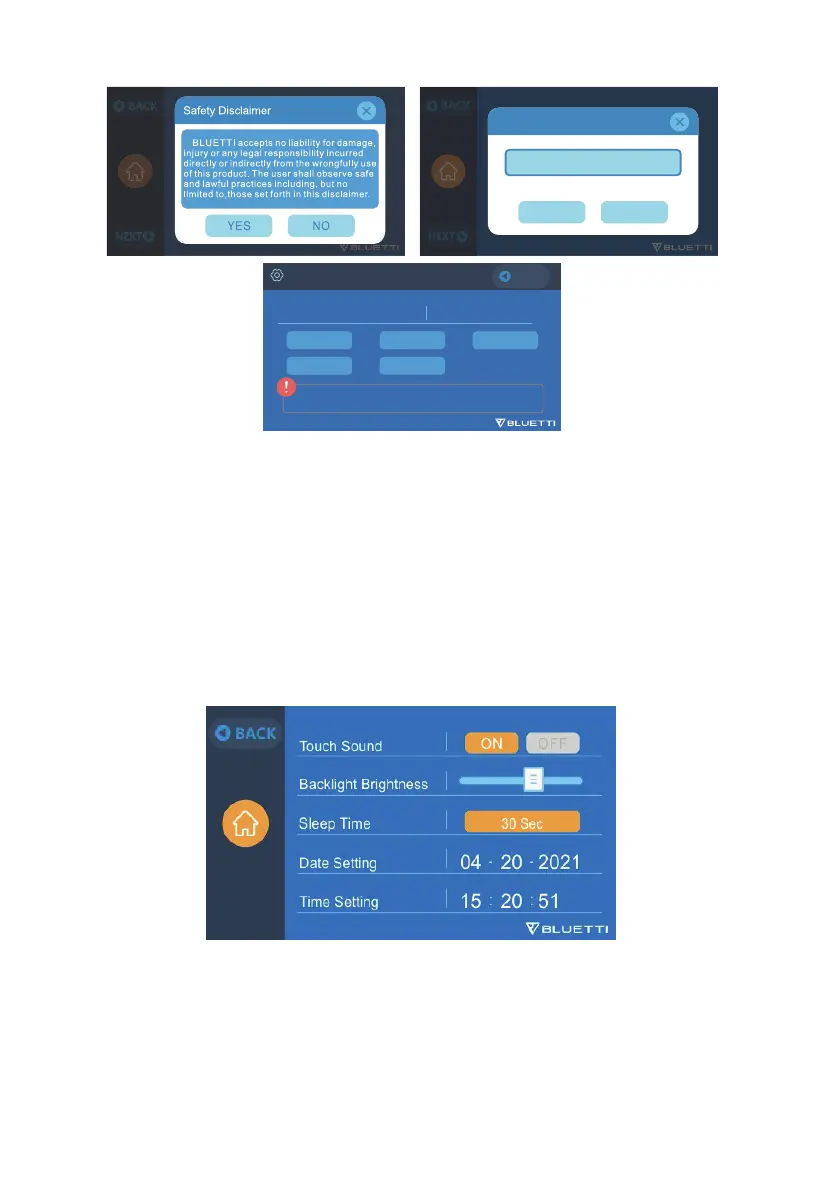
9.2.7 Date and time & Touch Sound & Backlight Brightness
•
Adjust the Date and Time to your local time zone.
•
Choose to Enable/Disable the touch sound.
•
Use the slider to adjust the Backlight Brightness.
26
JUST POWER ON



 To Next Page