Mounting and commissioning
by Blum-Novotest 2012 23
3.6 Display of the basic adjustments
The probe can be set up for different applications.
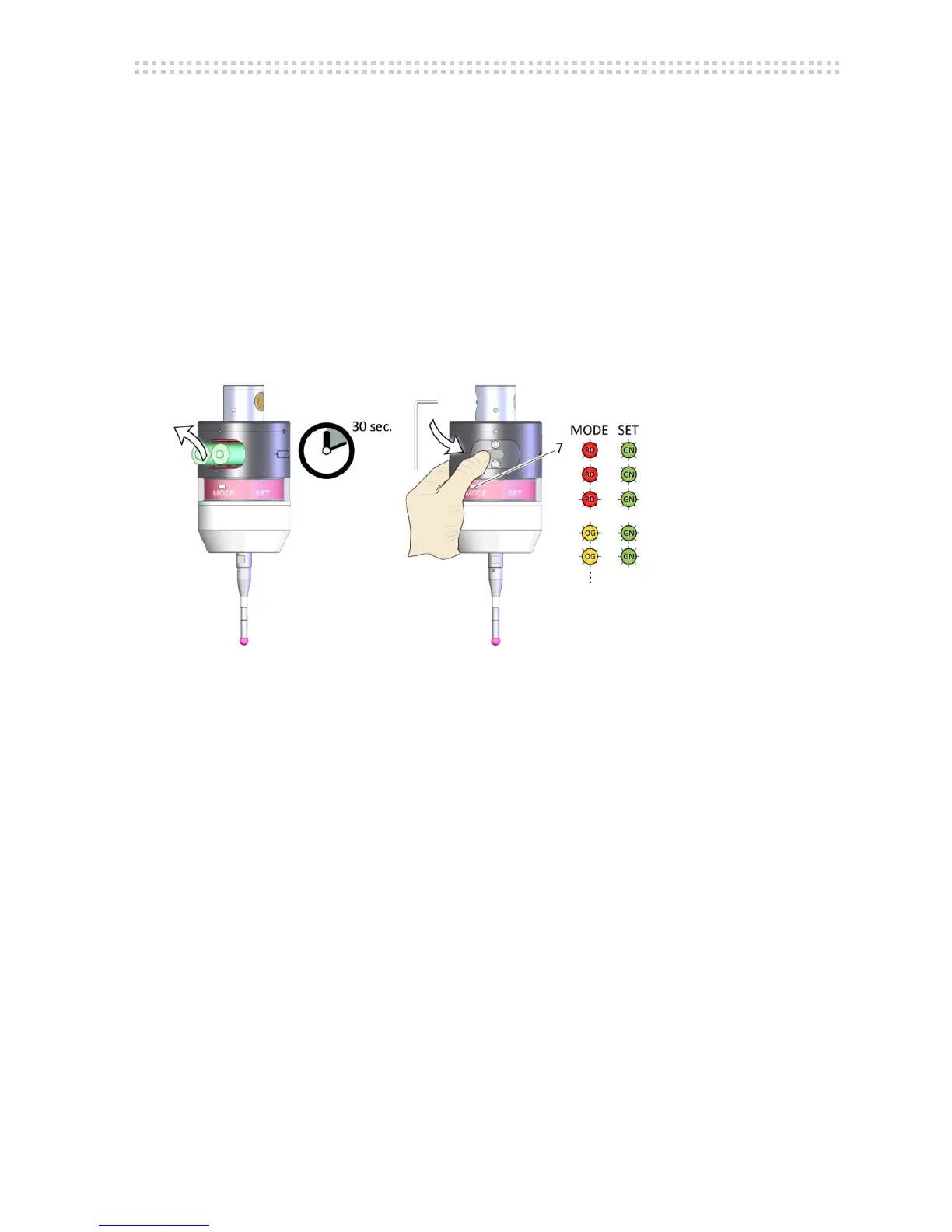
After insert of the batteries, the display of the basic adjustments is started. The magnetic pin
is not necessary.
1. Remove batteries
2. Wait for 30 sec.
3. Insert batteries again (pls. observe pole position), put on cover of battery box.
The LED Status starts flashing. The basic adjustments are displayed. (display phase)
4. After the display is finished, the probe goes into standby mode.
(7) LED Status
Fig. 3.8
If the LED Status (7) is flashing red or shining red, pls. check the batteries.
See chapt. 6, Trouble shooting.



 To Next Page