39
3. STARTING UP YOUR DEVICE
•Make sure your device is turned off.
•Firmly hold the device with the front panel facing down.
•Slide your finger into the groove designed to open it and gently pull open the back cover.
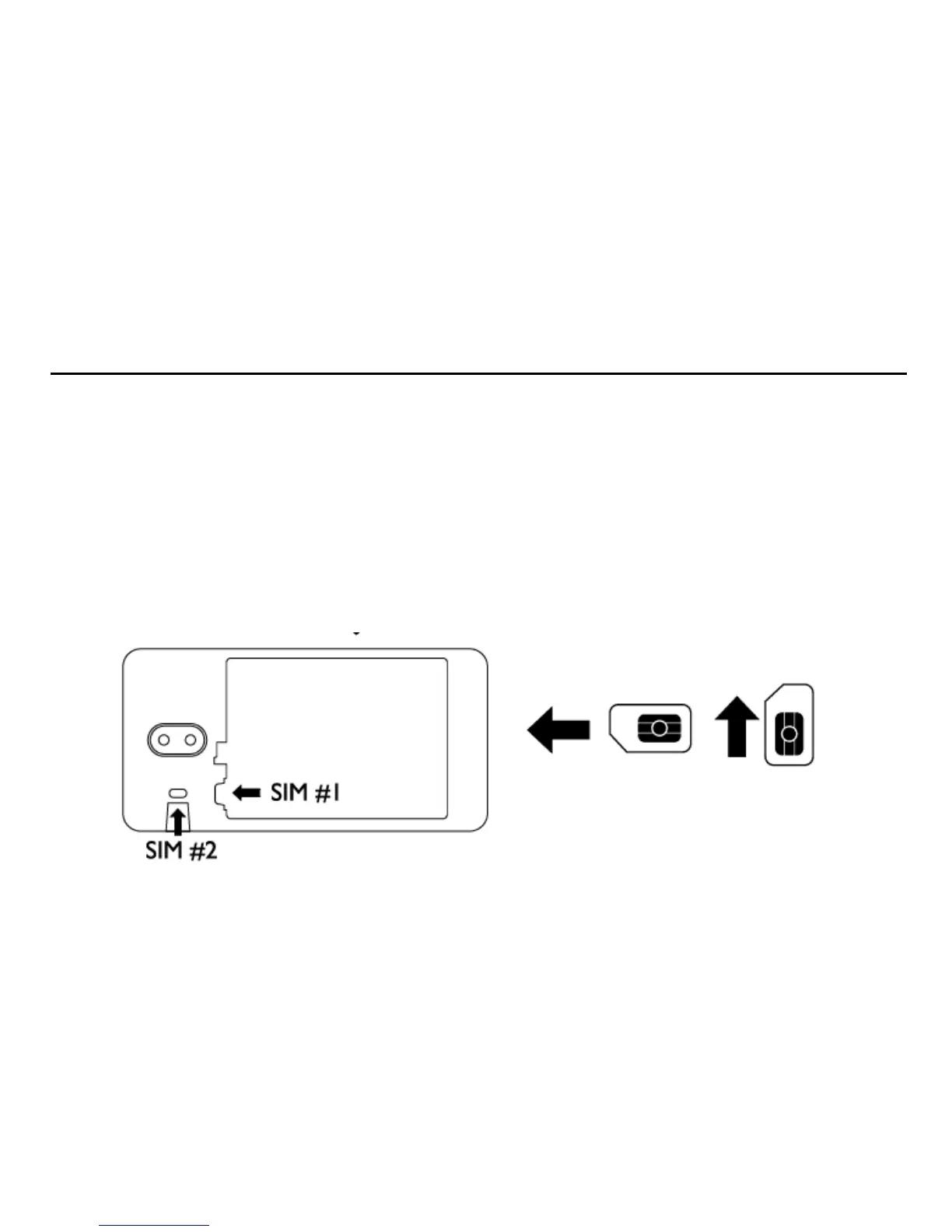
To install the SIM card
•Locate the SIM card slot, and then insert the SIM card wi th its gold contacts and
its cut-off corner as shown in the diagram. (Always power off the device before inserting the SIM)
•Slide the SIM card completely into the slot.


 To Next Page