40
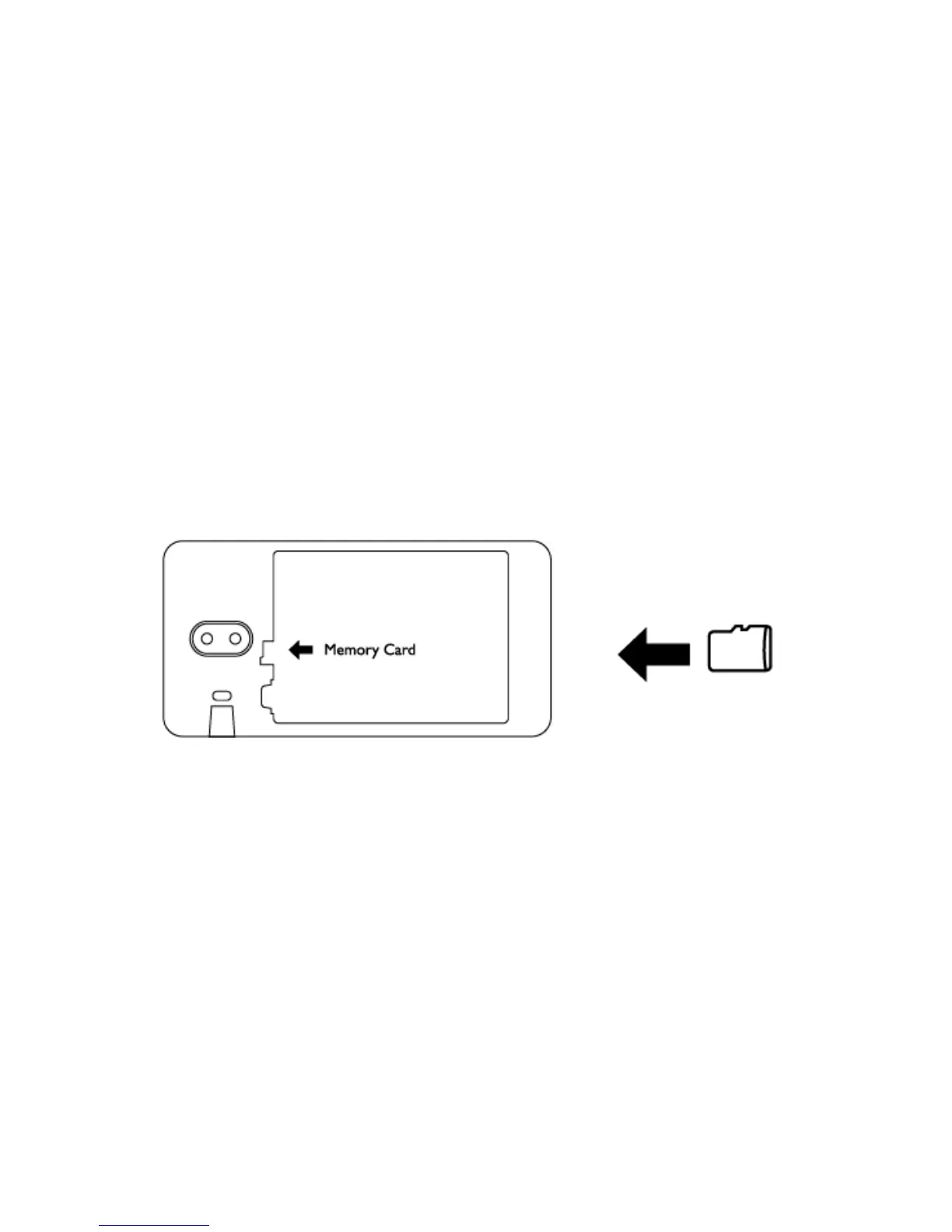
To install a memory card
To have additional storage for your images, videos, music and files, you can purchase a memory
card and install it in your device. (Always power off the device before inserting the memory card)
Locate the memory card slot and Insert the memory card into the slot as indicated by the image.
Charging the Battery
New batteries are shipped partially charged. Before you start using your device, it is
recommended that you charge the battery.


 To Next Page