47
4.5. U-disk storage
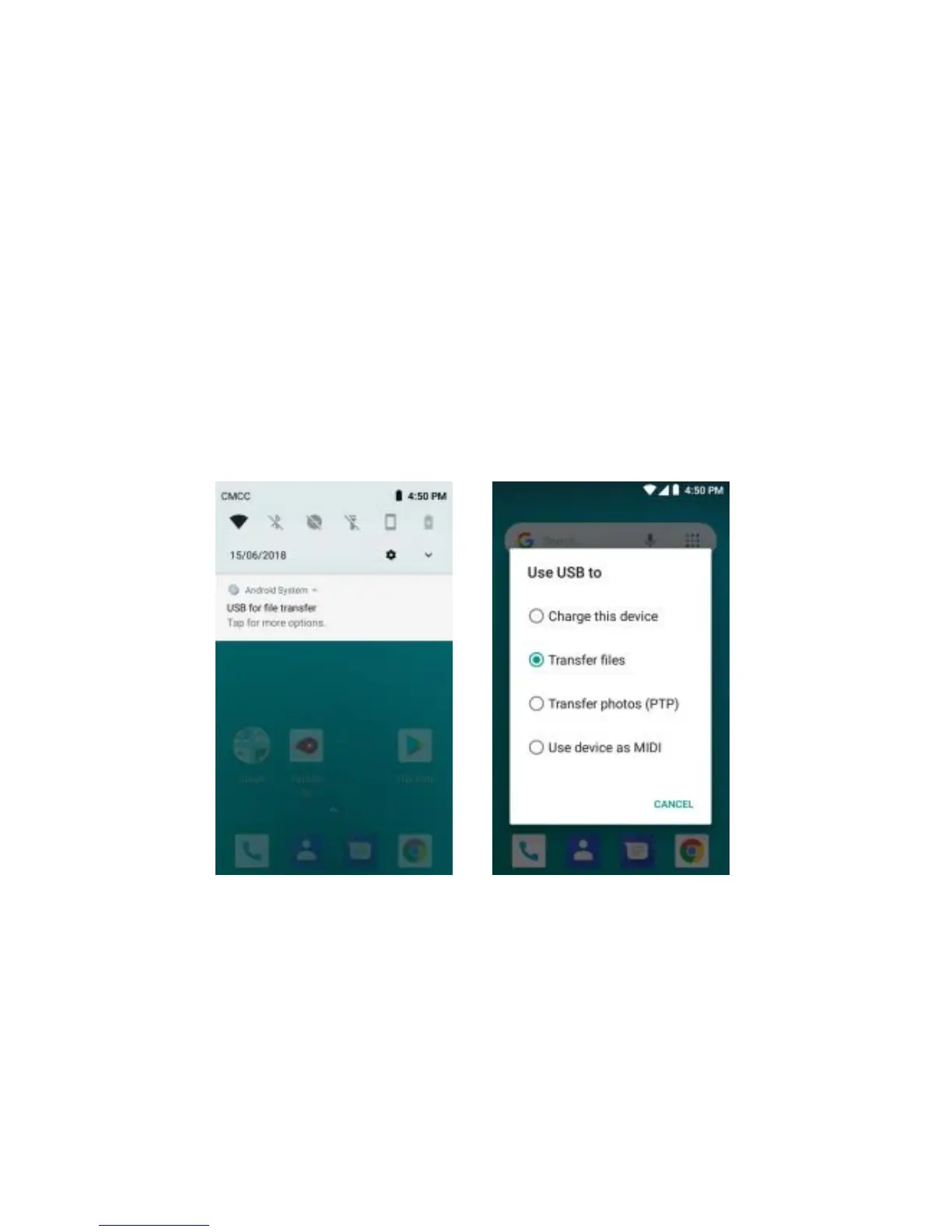
This phone supports movable storage with the U-disk function. When the phone is switched
on, you see the icon in the status bar on the top of the screen when its connecte d to a PC by a
data line. Touch the bar and slide your finger down the screen to open the list of notifications
displayed in the sliding window. Select [USB for file transfer] and touch [Transfer files] to confirm,
you can use the phone as a U-disk.


 To Next Page