Stopwatch
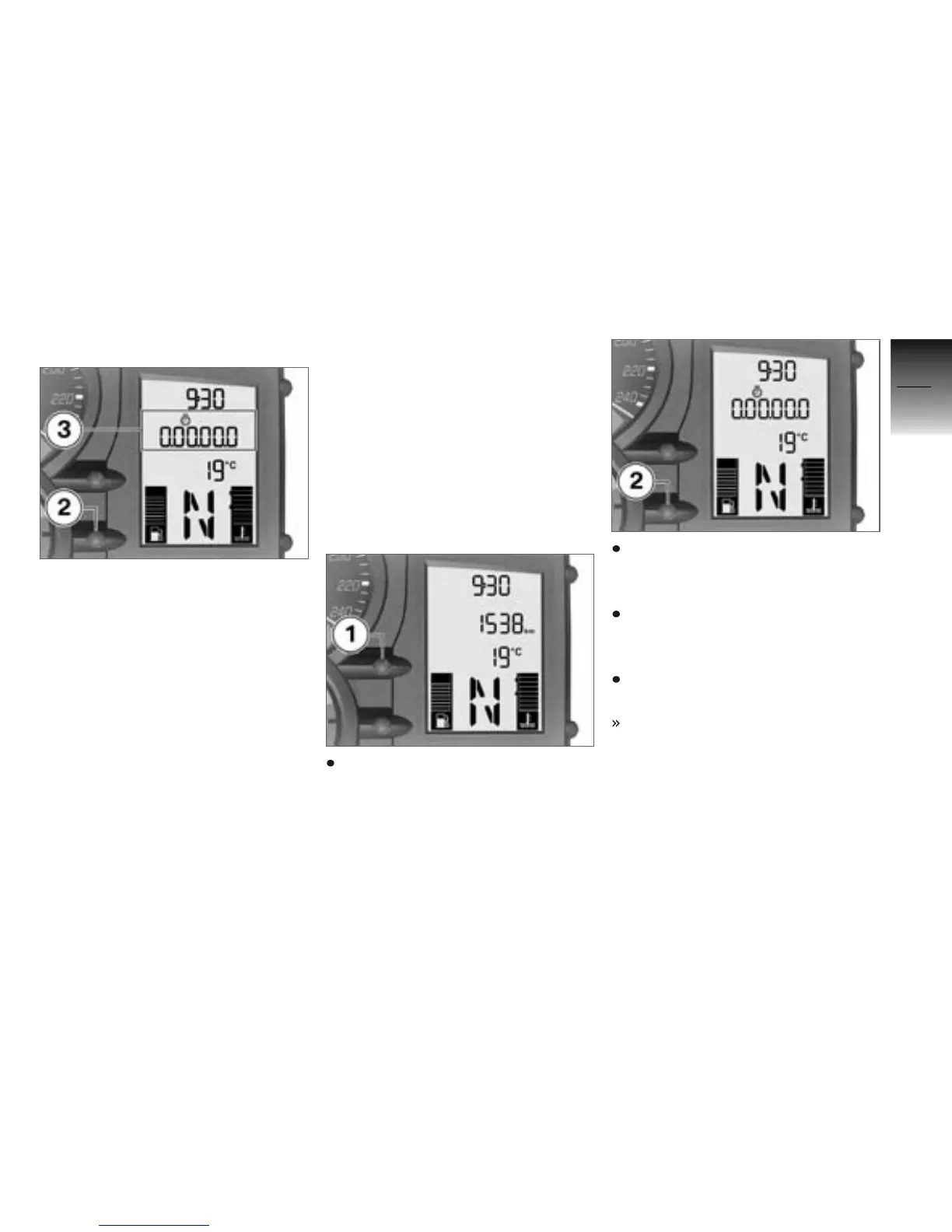
You can switch from the odo-
meter reading to a stopwatch 3.
The readout is in hours, minutes,
seconds and tenths of a second,
with dots as separators.
By swapping the functions of
button 2 and the INFO button
on the handlebar fitting you can
make the stopwatch easier to
use (as a lap timer) as you ride.
If you swap the functions in this
way the stopwatch and the odo-
meter are operated by means of
the INFO button and you must
use button 2 to operate the on-
board computer.
The stopwatch continues to time
in the background if you switch
back temporarily to the odometer
reading. Similarly, the stopwatch
continues timing if you temporar-
ily switch off the ignition.
Operating stopwatch
If necessary, use button 1 to
switch from the odometer to
the stopwatch.
When the stopwatch is
stopped, press button 2 to
start timing with the stopwatch.
When the stopwatch is running,
press button 2 to stop timing
with the stopwatch.
Press and hold down button 2
to reset the stopwatch.
The stopwatch shows
0.00.00.0.
4
47
z
Operation



 To Next Page