G12�Driver�Assistance�Systems
6.�Intelligent�Safety
17
Index Explanation
1 "Intelligent�Safety"�configuration�menu
2 "ALL�ON"�selection
3 "INDIVIDUAL"�selection
4 "Configure�INDIVIDUAL"
5 "ALL�OFF"�selection
6 Note�for�the�driver:�in�this�example�not�all�of�the�Intelligent�Safety�systems
could�be�activated.
7 Note�for�the�driver:�the�colored�circle�shows�the�driver�the�activation�status�of
the�Intelligent�Safety�systems.�The�color�of�the�circle�changes�always�matches
the�color�of�the�Intelligent�Safety�button�indicator�light.
"ALL�ON"
• All�Intelligent�Safety�systems�are�switched�on.�The�basic�settings�are�activated�for�the�sub-
functions,�for�example�the�warning�time�setting.�The�Intelligent�Safety�button�lights�up�green.
"INDIVIDUAL"
• The�Intelligent�Safety�systems�are�switched�on�in�accordance�with�the�individual�settings.
Depending�on�the�vehicle�equipment,�the�Intelligent�Safety�systems�can�be�configured
individually.
The�individual�settings�are�activated�and�stored�for�the�respective�ID�transmitter�used.
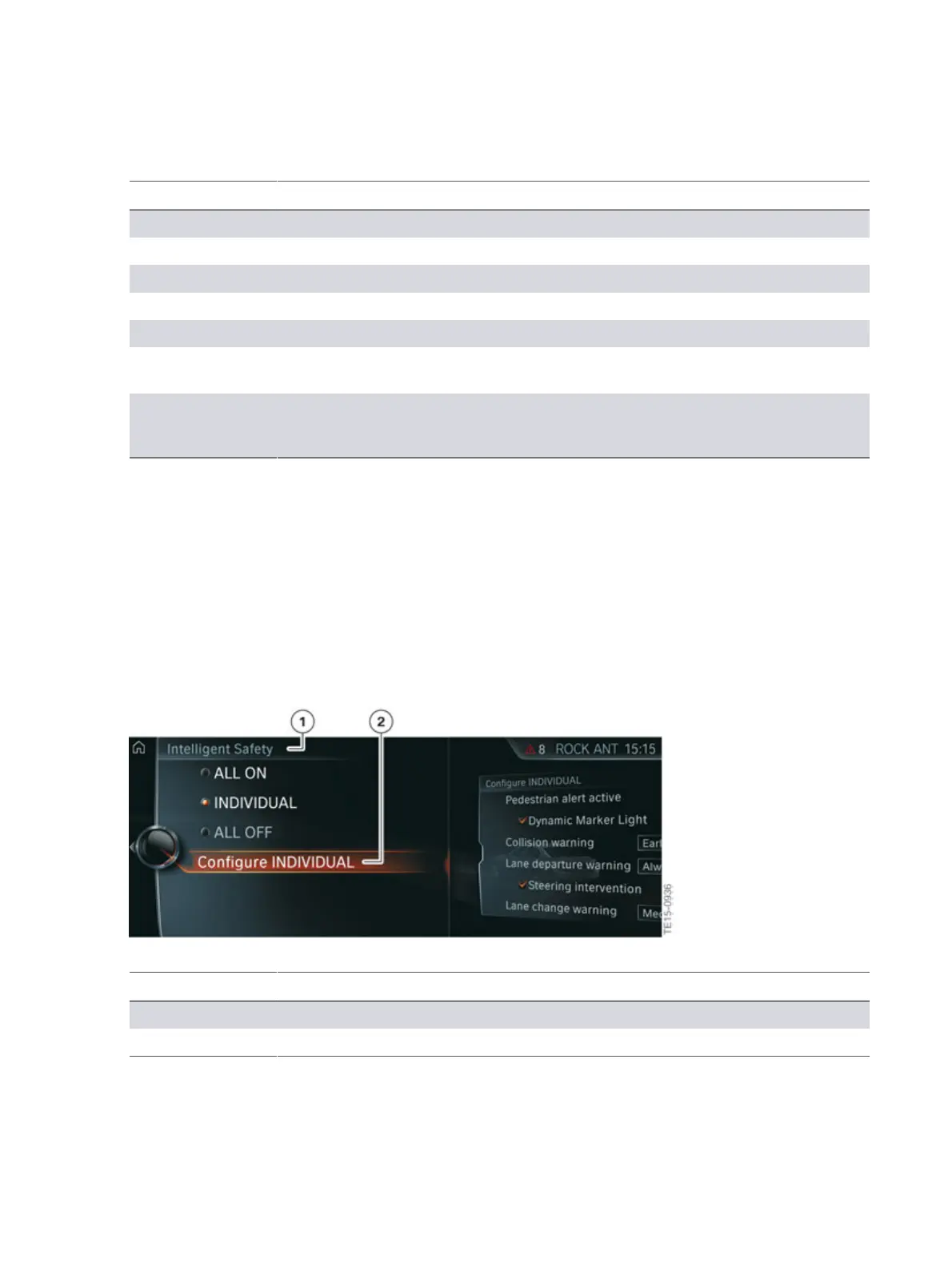
G12�Intelligent�Safety�("Configure�INDIVIDUAL"�selection)
Index Explanation
1 "Intelligent�Safety"
2 "Configure�INDIVIDUAL"



 To Next Page