G12�Driver�Assistance�Systems
6.�Intelligent�Safety
18
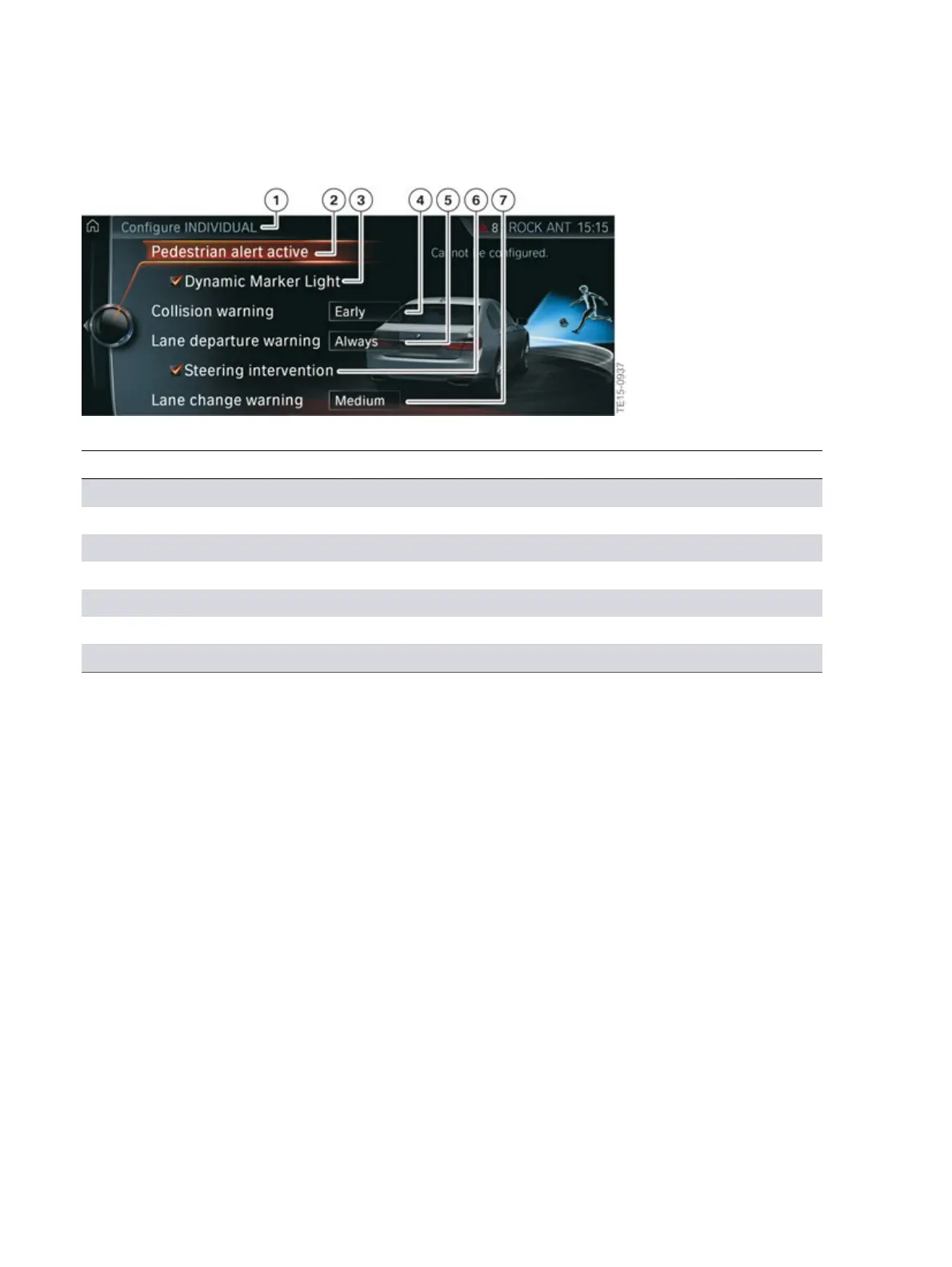
G12�Intelligent�Safety�"INDIVIDUAL"�configuration�menu�(settings�options)
Index Explanation
1 "Configure�INDIVIDUAL"
2 "Pedestrian�warning�active"
3 "Dynamic�Marker�Light"
4 "Collision�warning"�(selected�setting:�Early)
5 "Lane�departure�warning"�(selected�setting:�Always)
6 "Steering�intervention"
7 "Blind�spot�detection"�(selected�setting:�Medium)
As�soon�as�a�setting�is�changed�in�the�menu,�all�the�settings�the�driver�has�previously�configured�are
activated.�The�Intelligent�Safety�button�lights�up�orange.
"ALL�OFF"
• All�Intelligent�Safety�systems�are�switched�off.�The�Intelligent�Safety�button�does�not�light�up.



 To Next Page