G12�Driver�Assistance�Systems
15.�Cameras
72
Index Explanation
1 "Parking"�menu
2 "Panorama�View,�GPS-based"
15.1.5.�Reversing�camera
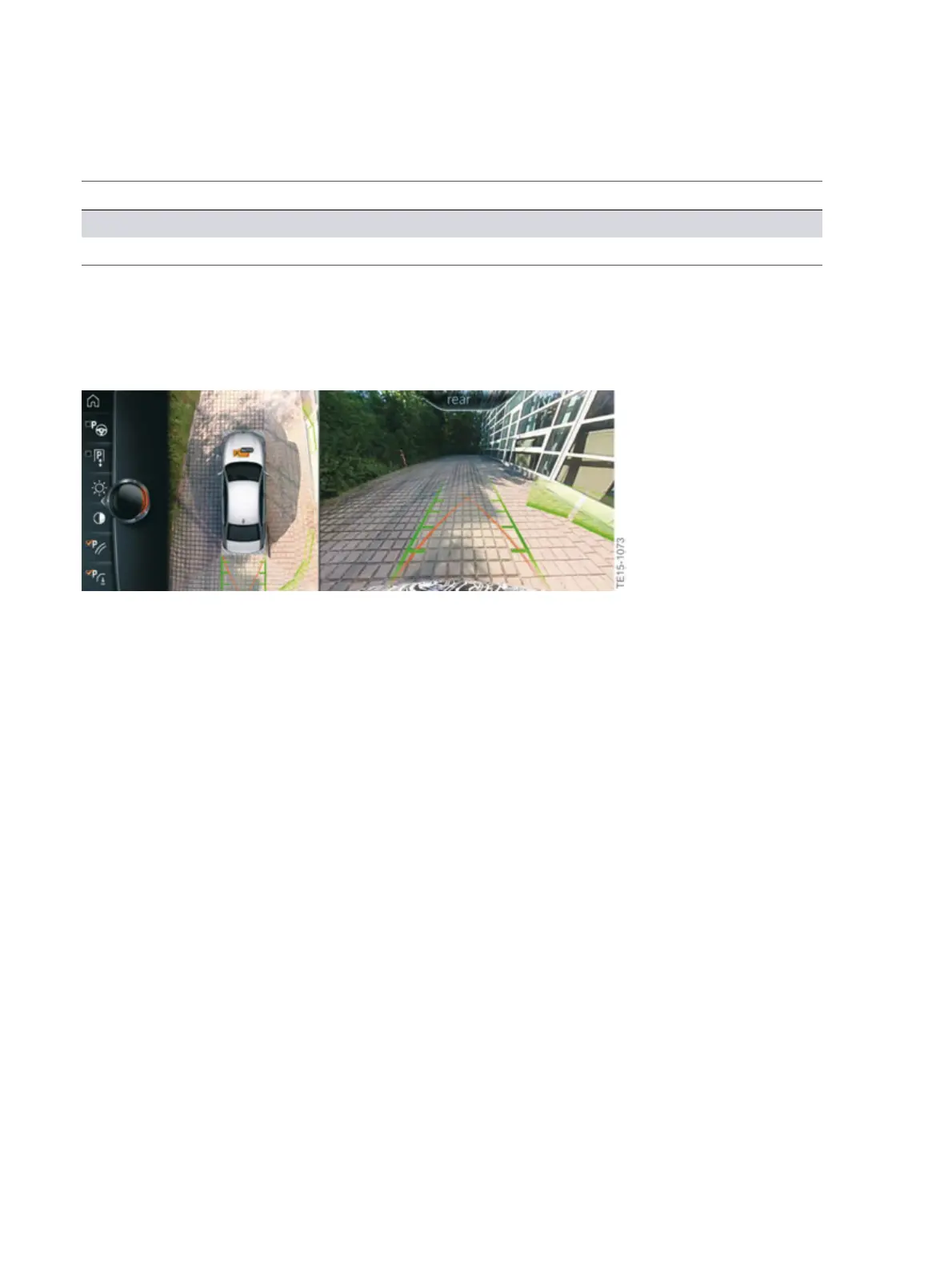
The�rear�view�camera�supports�the�driver�when�parking�and�maneuvering.�The�area�behind�the�vehicle
is�recorded�by�the�rear�view�camera�and�shown�on�the�central�information�display.
G12�rear�view�camera,�view�on�the�CID
15.1.6.�Moving�camera�angle
When�the�moving�camera�angle�is�selected,�a�circular�trajectory�is�shown�around�the�vehicle�on�the
central�information�display.�Predetermined�angles�can�be�selected�on�the�circular�trajectory�by�turning
the�controller�or�using�the�touch�function.
In�vehicles�with�the�gesture�control�optional�equipment�(OE�6U8),�the�moving�camera�angle�can�also
be�controlled�in�this�way.
The�current�angle�is�identified�by�a�camera�symbol.�Depending�on�the�view,�the�surroundings�of�the
vehicle�or�a�partial�area�of�the�surroundings�are�shown�on�the�central�information�display.



 To Next Page