If the drive-ready state is switched on after the
vehicle has been in the idle state, an efficient ve‐
hicle state is active. M Setup is deactivated.
Safety note
WARNING
Depending on the settings, DSC may only be
available to a limited extent or not at all when
M Setup is activated. There is a danger of acci‐
dents or damage to property. Observe the set‐
tings for DSC in M Setup and react actively if
necessary. Adjust the driving style and react if
necessary.
Settings
The settings for the following systems and func‐
tions are saved in the selected M Setup.
Symbol Meaning
"DSC" Dynamic Stability Control DSC,
see page 209, and M Dynamic
Mode MDM, see page 211.
"M
xDrive"
M xDrive, see page 212, pro‐
grammes.
"Engine" Programs of the M Engine Dy‐
namics Control, see page 142.
"Chassis"
Programme of the Adaptive M
suspension, see page 254.
"Steering"
Programs of the Servotronic,
see page 213.
"Transmissi
on"
Drivelogic, see page 140:
switching modes and Drivelogic
programmes.
"Head-
up displ."
Views of the Head-Up Displays,
see page 160.
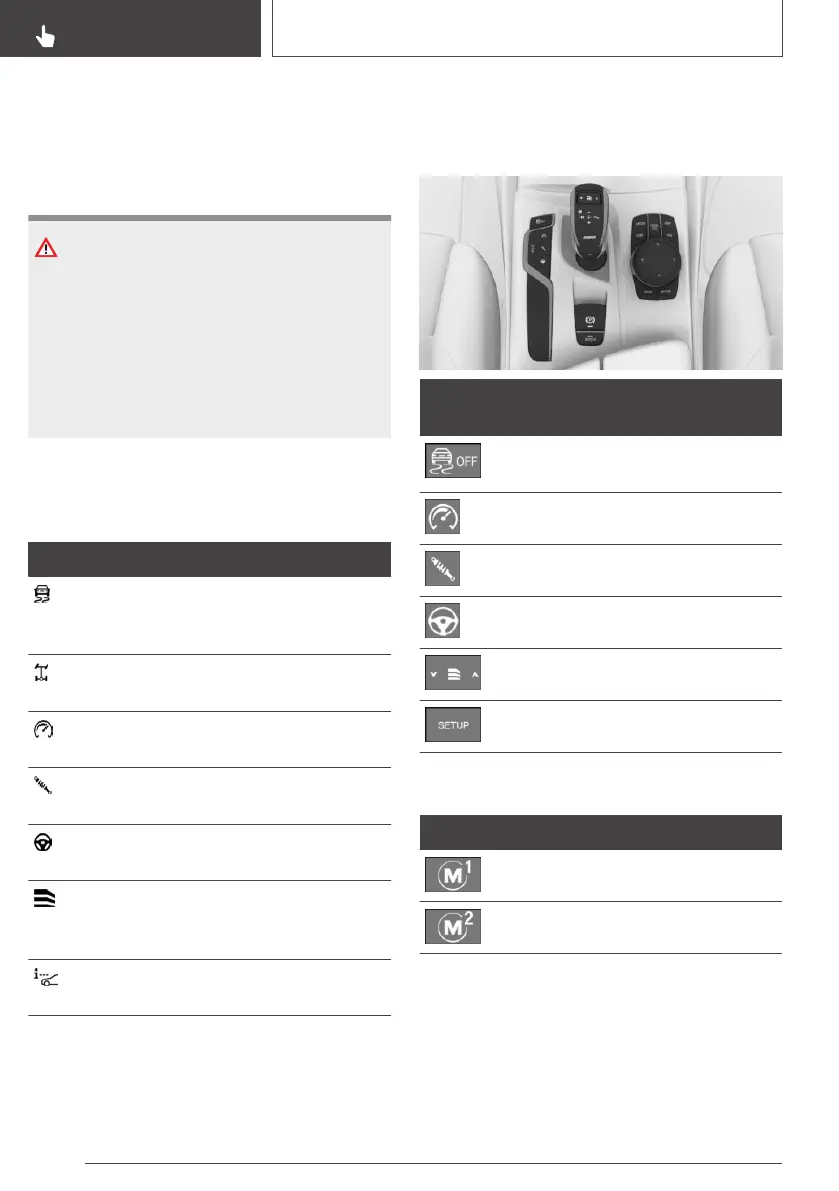
Overview
Buttons in the vehicle
But‐
tons
Function
Dynamic Stability Control DSC,
M Dynamic Mode MDM.
M engine dynamics control.
Adaptive M suspension.
Servotronic.
Drivelogic.
M Setup menu.
Buttons on the steering wheel
Button Function
Setup M1.
Setup M2.
Configuring M Setup
Via buttons
1.
Set the required M Setup function using the
corresponding button on the centre console.
Seite 208
CONTROLS
Driving Stability Control Systems
208
Online Edition for Part no. 01402989787 - II/18



 To Next Page