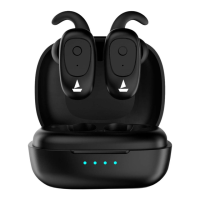
• Q. Device not entering stereo mode/ stuck in mono
• Check when both the earbuds are taken out of the charging case
, the earbuds will enter
into the Connection Mode, indicated by red and blue LED flashing.
• If one of them fails to smart power on, to manually switch the earbuds on (Manual Power
On), long touch the MFB (multi function button) for 3 seconds on both Left and Right earbuds
for switching them on until the LED light begins to flash in red and blue
• Place the earbuds in the charging case and then try using them again. Check if it connects
automatically.
• Check and see if hard resetting the device works as follows
• Perform the Factory Reset in case you face any difficulty while operating your Airdopes 131
• Step 1: Please remove the pairing record of airdopes 131 from your phone or media
device.
• Step 2: Power off the earbuds, triple tap both the MFBs until the red led blinks for 1
second. (this indicates successful mid way reset)
• Step 3:Keep the earbuds back inside the case in their correct orientation and Shut the lid
of the charging case.
• Step 4: Open the lid, and they automatically restart and enter connection mode.
• Step 5: Congratulations! Your Airdopes 131 has been Reset


 To Next Page