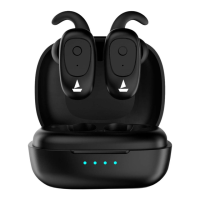
Pairing
• Mono Earbud Use
• Step 1: Please note that both the earbuds can be used in mono mode. Use
either of the two options; Smart Power On or Manual Power On for
switching on the desired earbud
• Step 2: The selected earbud will automatically enter the connection mode
indicated by alternating red and blue LED flashes
• Step 3: Turn on Bluetooth on your phone/media device and search for
‘Airdopes 131’ to connect
• Stereo Earbud Use
• Switch the earbuds on; a blue light will flash for 1 second to confirm that
they have been switched on. Both earbud’s will pair with one another
automatically.
• Both the earbuds will automatically pair with each other. The earbuds will
enter into the Connection Mode, indicated by alternating blue and red LED
flashes
• Turn on the Bluetooth functionality on your phone/media device and scan
• Search for ‘Airdopes 131’ and pair accordingly. Enter ‘0000’ as the passkey if
asked.
• Congratulations! Your earbuds are now connected successfully via
Bluetooth


 To Next Page