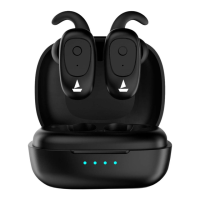
Basic walkthrough
• Power On
• There are two ways to switch the ear buds on:
• To automatically switch the earbuds on (Smart Power On) simply open the lid of the
charging case
• To manually switch the earbuds on (Manual Power On), long touch the multi function
button for 3 seconds on both Left and Right earbuds for switching them on until the LED
light begins to flash red and blue for 1 second
• Power Off
• There are two ways to switch the ear buds off:
• You can simply place them ear buds back into the charging case
• Long touch the MFB button on both the earbud for 5 seconds until the red indicator
light blinks before earbuds getting turned off, in order to manually switch off the
earbuds.
Please note that this powers off both the earbuds.


 To Next Page