Quick Start
Cleaning Schedule
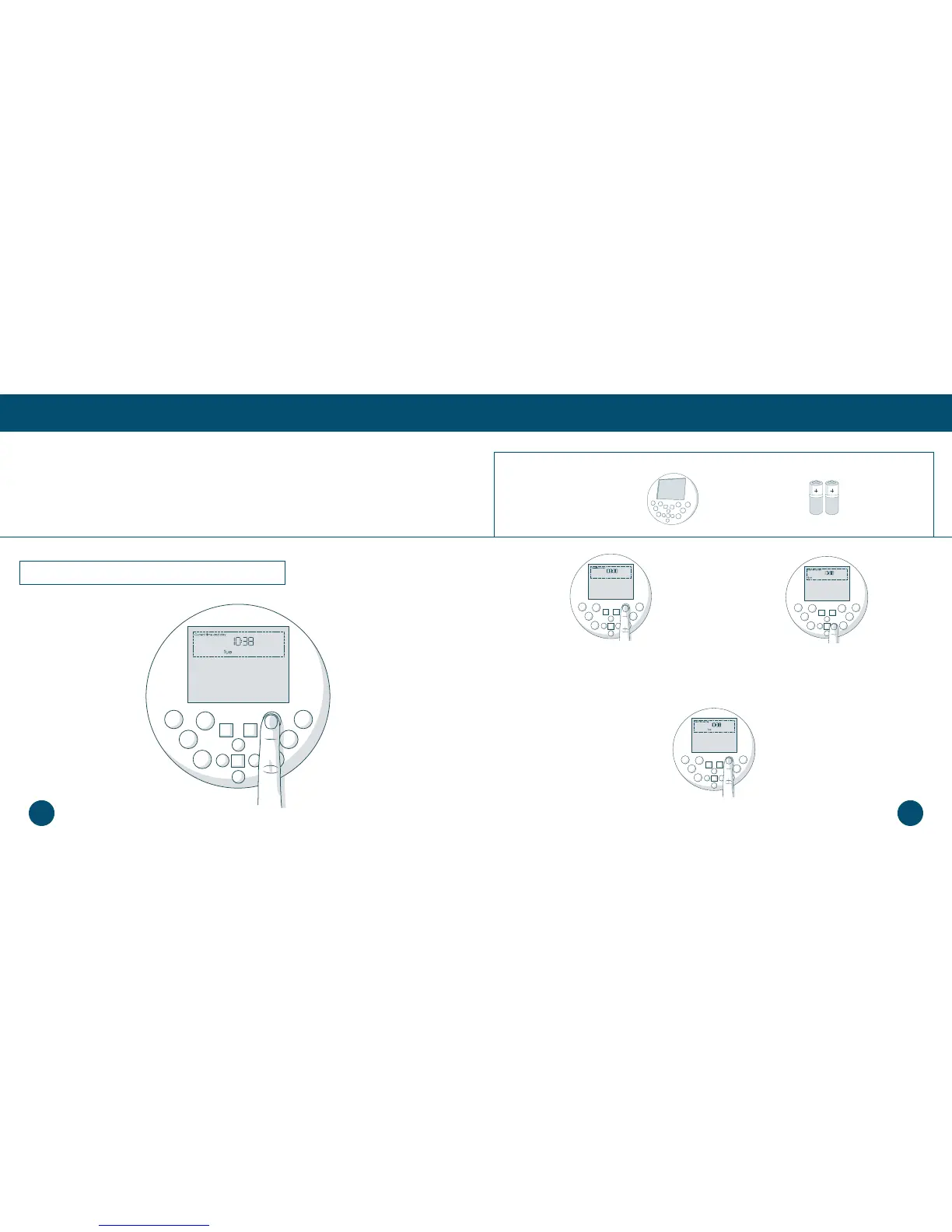
Setting the Current Time and Day
Setting the Current Time and Day
Bob can be programmed to clean at the same time on multiple days of the week through his
FullCommand™ remote. To set Bob’s cleaning schedule, you must rst set the current time and day
on his remote. Make sure Bob is turned ON and synced to his remote before proceeding.
1. Press the SET CURRENT TIME button on
the remote. The rst hour digit will start
ashing.
2. Use the the LEFT and RGHT buttons to
move between minutes, hours, and days of
the week. Use the FWD and BACK buttons
to adjust your selection.
3. Press the SET CURRENT TIME button again to save your settings. Bob will chirp to
conrm your save.
The remote works on a 24-hour clock, so adjust accordingly.
Parts You’ll Need: FullCommand™ AAA Batteries x2
Remote (not included)
4443














 To Next Page