Quick Start
Home Checkup Test
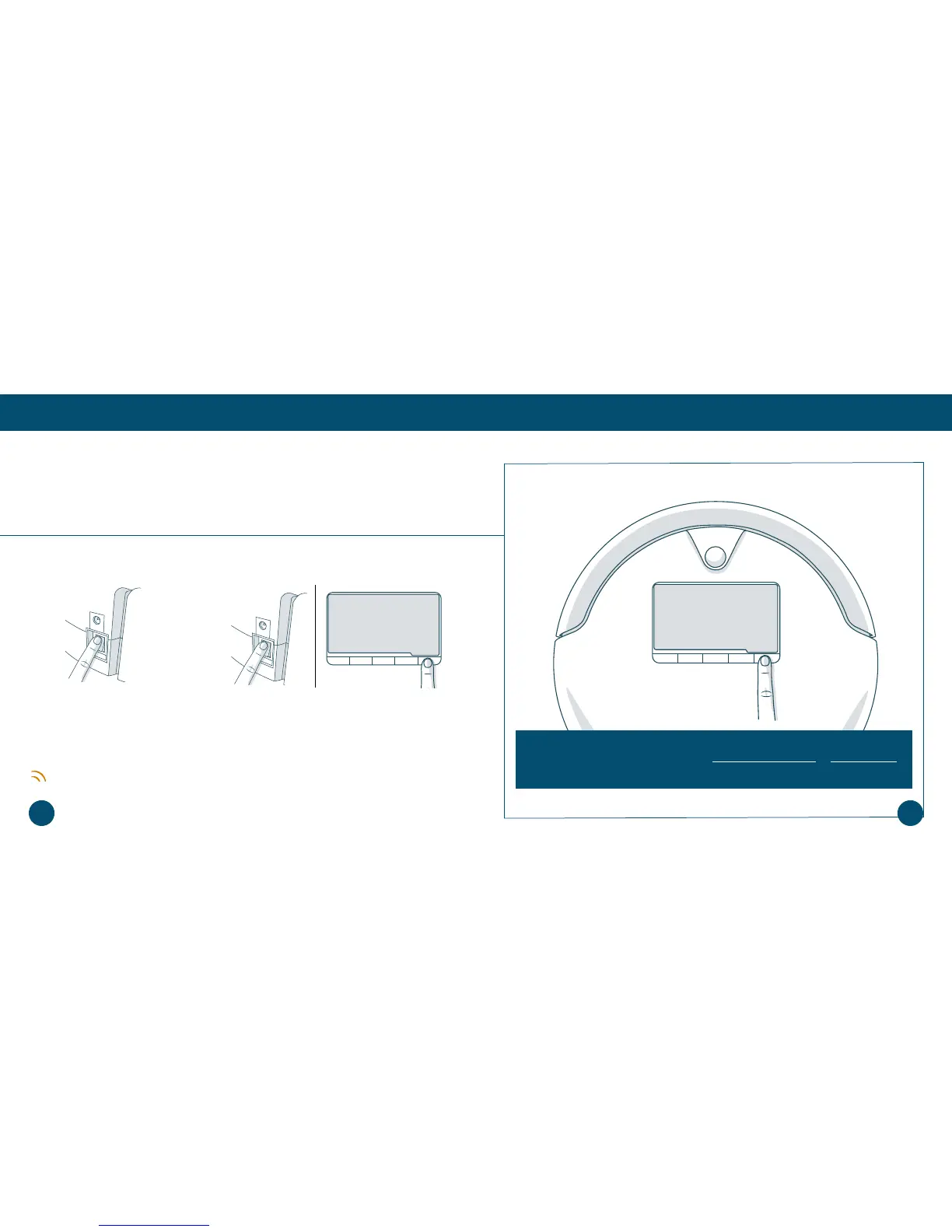
Putting Bob in Checkup Mode
Putting Bob in Checkup Mode
While in checkup mode, the word “bObsweep” will ash on Bob’s screen.
1. Flip Bob’s power switch OFF. 2. While holding down the CHECKUP button on
Bob’s cover, ip Bob’s power switch ON.
If Bob fails any part of the checkup test, he may need a replacement part. In this case,
please contact our helpful support team at support@bobsweep.com or 1-888-549-8847.
Our business hours are Monday – Friday, 9 a.m. – 5 p.m. Pacic Time.
Bob will chirp 3 times to let you know he is now in checkup mode. You may release the
CHECKUP button. Do not press any additional buttons.
9897













 To Next Page