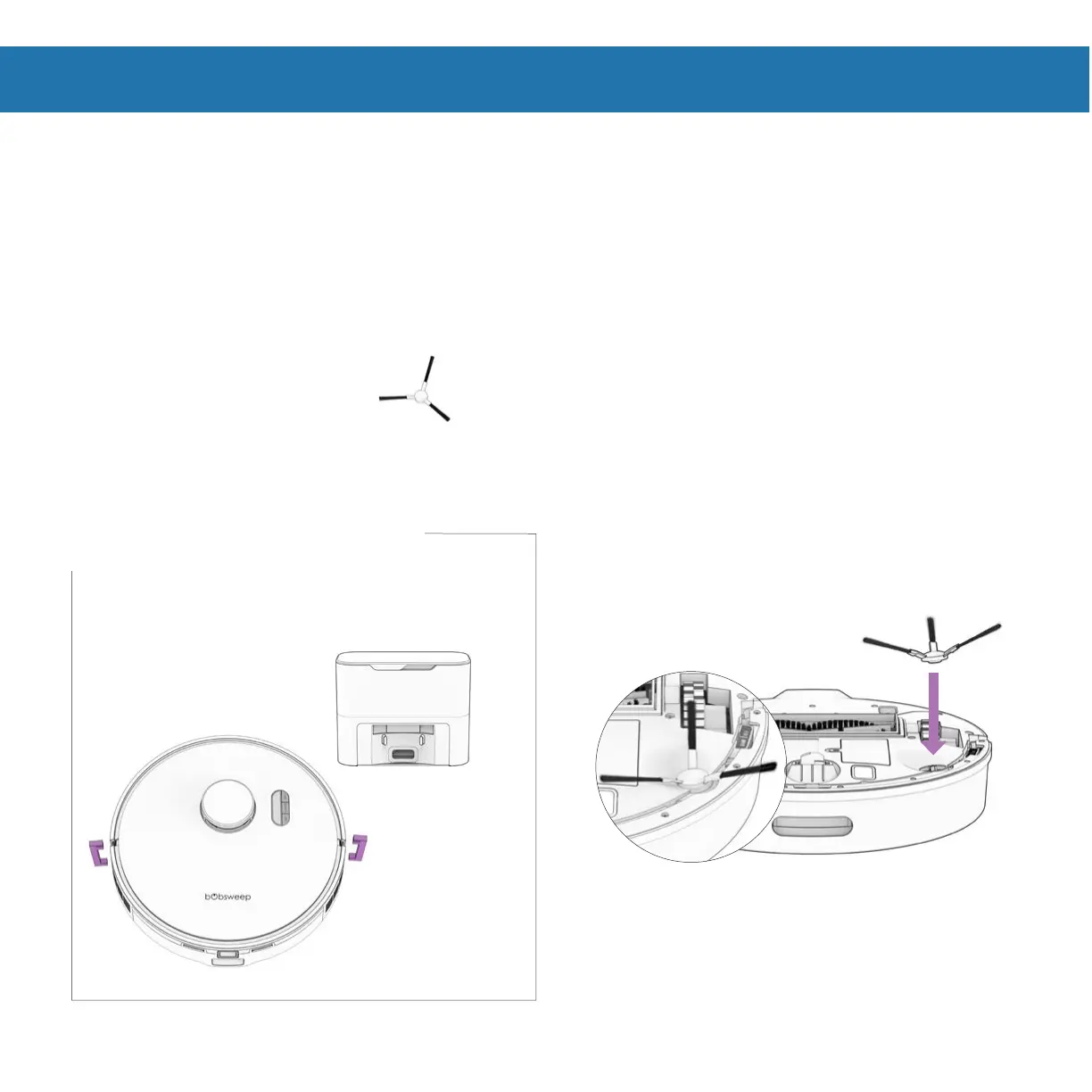
Place the side brush over the empty socket
on Orb-i. Press down to click and lock in
place.
Orb-i’s First Clean
Before Starting Orb-i
Remove protective pieces from Orb-i, his
bumper, and charging station.
Install Orb-i’s Side Brush
Install Orb-i’s side brush to help him reach the corners and edges of rooms.
Parts You’ll Need: Side Brush
Important Note: The strength of side
brush’s connection can be increased by
slightly rotating the screw in the center of
the side brush socket counter-clockwise.















 To Next Page