Orb-i’s First Clean
Charge Orb-i
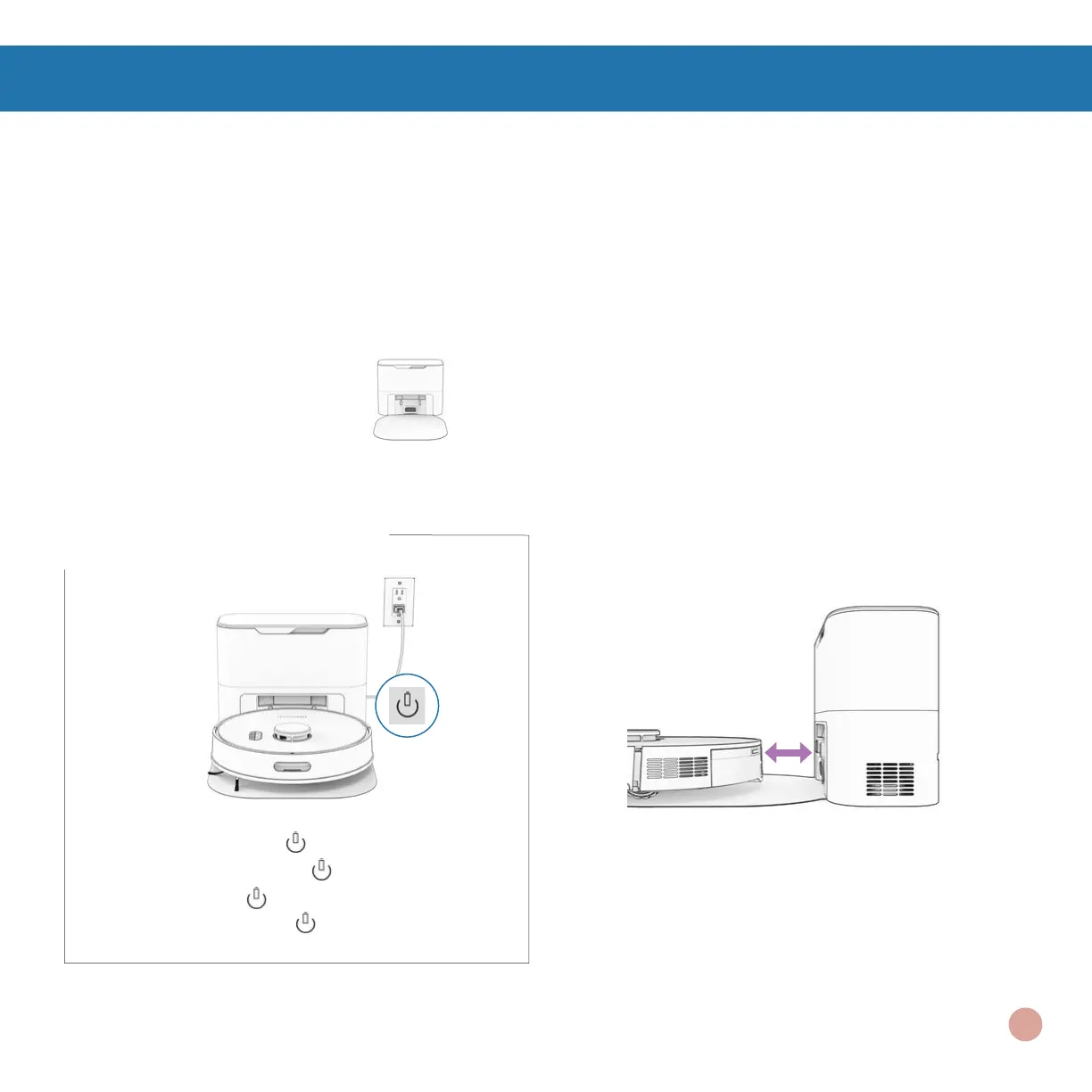
Press the CHARGE button on Orb-i to send him to his charging station.
Charging Indicator
Low Battery: blinks rapidly.
Finding Station: blinks.
Charging: blinks slowly.
Fully Charged: shines white.
Parts You’ll Need: Self-empty Charging Station
Quick Tip: Orb-i empties his bin each
time he docks at the end of a cleaning
session. You can dene how often Orb-i
self-empties under “Cleaning Prefer-
ences” on the bObsweep App.
To charge Orb-i manually, place him
on his charging bed with the metal nodes
on his back resting against the plates on
the station.
Orb-i’s First Clean
14















 To Next Page