EasyManua.ls Logo

Bodyguard T460XC - User Manual

Default Icon
35 pages
Print Icon
To Next Page IconTo Next Page
Loading...
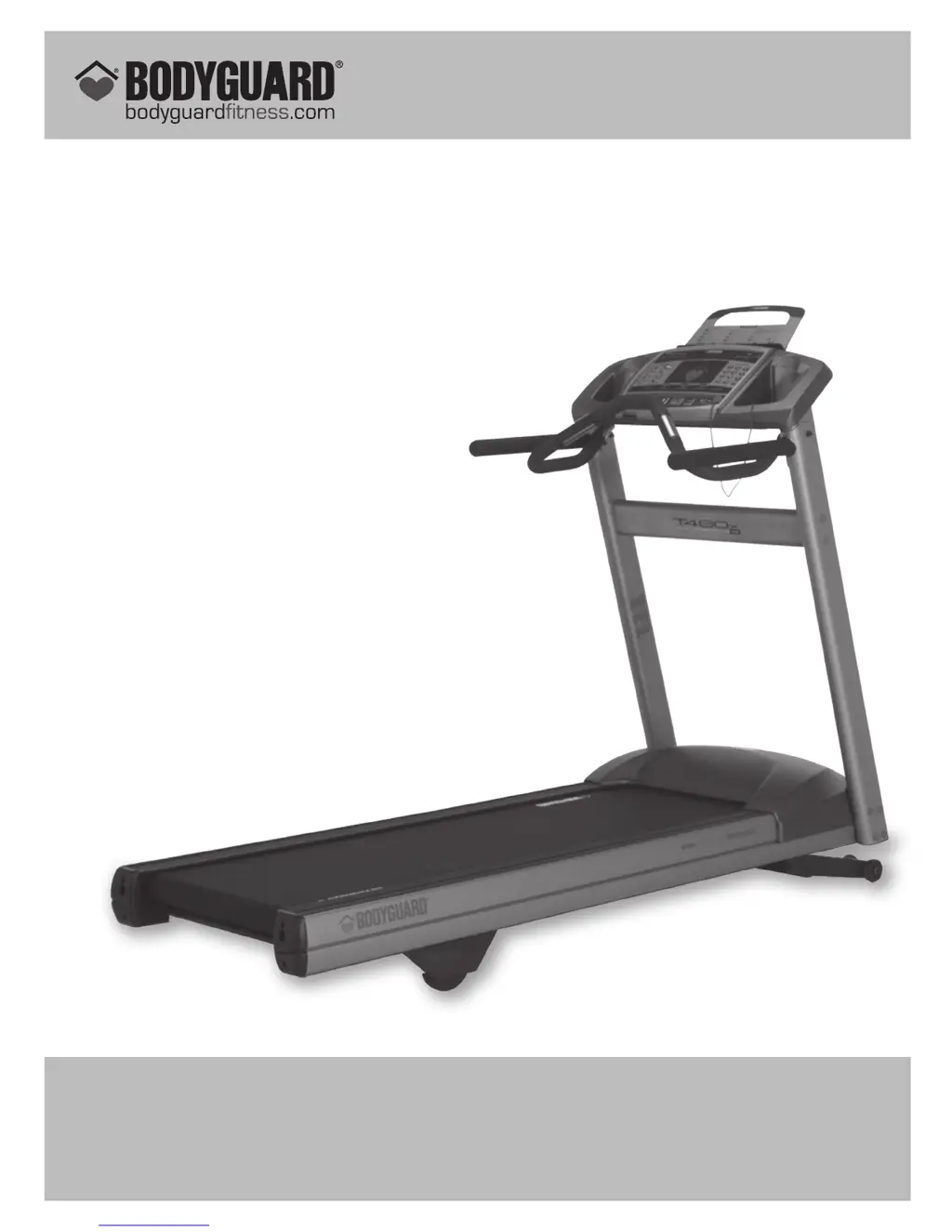
T320X – T460X – T460XC
TREADMILLS
OWNER’S MANUAL
Part no: 691009 R0:10-2007
T460x illustrated
BODYGUARD
®
FITNESS,
division of Procycle CANADA
9095, 25
th
Avenue, Saint-Georges (Québec) Canada G6A 1A1
The name “Bodyguard Fitness
®
” and heart logo are registered trademarks of Procycle Group Inc.

Other manuals for Bodyguard T460XC

Questions and Answers

  • A
    Amber JacksonAug 17, 2025
    Why does the belt on my Bodyguard T460XC Treadmill not turn?
    • B
      Barbara JuarezAug 18, 2025
      If the belt on your Bodyguard Treadmill isn't turning, make sure that you insert the magnetic key. Also, it may be necessary to perform a Belt Alignment.
  • R
    Rebecca GilmoreAug 20, 2025
    What to do if my Bodyguard T460XC belt tracks left and right?
    • K
      Katherine GrossAug 20, 2025
      If the belt on your Bodyguard Treadmill is moving from side to side, first, move the treadmill to an even floor. If the issue persists, the rear roller may need adjustment, so perform a Belt Alignment.
  • B
    Benjamin Miller DDSAug 22, 2025
    What to do if my Bodyguard T460XC Treadmill computer will not light up?
    • S
      Sean FischerAug 22, 2025
      First, ensure the treadmill is plugged into a functioning wall socket. Test the socket with a lamp. Check the circuit breaker and reset it if necessary. Inspect the power cord for damage and replace it if needed. See if the switch lights up when turned on. If these steps don't resolve the issue, turn off and unplug the treadmill, then remove the cover to check and properly connect the wires. If the issue persists, it might be a damaged lower control board.
  • N
    Nicholas WilliamsAug 25, 2025
    Why is my Bodyguard Treadmill belt speed not constant?
    • C
      Crystal VelazquezAug 26, 2025
      The belt might be sticking because it needs cleaning or lubrication. Another cause could be that the running belt tension is too loose. To check this, remove the motor cover and see if the motor flywheel slows down at the same time as the running belt. If it does, tighten the running belt by turning both the left and right rear roller screws ¼ turn clockwise and test. Repeat if needed, but don't exceed two full rotations to avoid overstretching the belt. The motor or lower control board may also be damaged, or the drive belt may be loose.
  • P
    Patrick ThomasAug 27, 2025
    What to do if my Bodyguard Treadmill console lights up but the belt does not turn?
    • J
      Joshua KramerAug 28, 2025
      Make sure the magnetic key is properly inserted. If the issue persists, it might be a damaged lower control board.
  • J
    Janice BryantAug 30, 2025
    Why does my Bodyguard T460XC belt track left or right?
    • J
      Jacob CalhounAug 30, 2025
      This issue can occur if the treadmill is placed on an uneven floor. Try moving it to an even surface. Alternatively, the rear roller might need adjustment, or the belt alignment may be incorrect.
  • R
    rramosSep 1, 2025
    Why does the incline on my Bodyguard T460XC not respond properly?
    • T
      Toni PerezSep 1, 2025
      Check if the incline motor wires are properly connected to the lower control board. Also, the incline might need to be calibrated.
  • K
    Kari GuerreroSep 4, 2025
    What to do if Bodyguard Treadmill computer keys are not responding?
    • M
      Mrs. Dawn Price MDSep 4, 2025
      The keypad may be damaged by liquid penetrating through the seal, or you might be using too much cleaning solution. When cleaning the console, use only a mild cleanser on a damp cloth.
  • K
    Karina FullerSep 6, 2025
    What to do if computer will not light up on Bodyguard T460XC Treadmill?
    • G
      George MercerSep 6, 2025
      If the computer on your Bodyguard Treadmill doesn't light up, there are several things you can check: * Ensure the unit is properly plugged in. * Verify the power cord is functional, and replace it if needed. * Try resetting the breaker. * Remove the cover and connect the wires properly.
  • O
    ojordanSep 9, 2025
    What to do if the speed is not constant on Bodyguard Treadmill?
    • R
      Rachel ReevesSep 9, 2025
      If the speed on your Bodyguard Treadmill is inconsistent, or seems too fast or slow, perform a Motor Check. Also, remove tension on the running belt and perform Belt Alignment.

Bodyguard T460XC Specifications

General IconGeneral
InclineYes
DeclineNo
Running Area140 x 50 cm
Max User Weight120 kg
Speed Range1-16 km/h
DisplayLCD
Dimensions (L x W x H)170 x 80 x 140 cm
Weight75 kg

Related product manuals