EasyManua.ls Logo

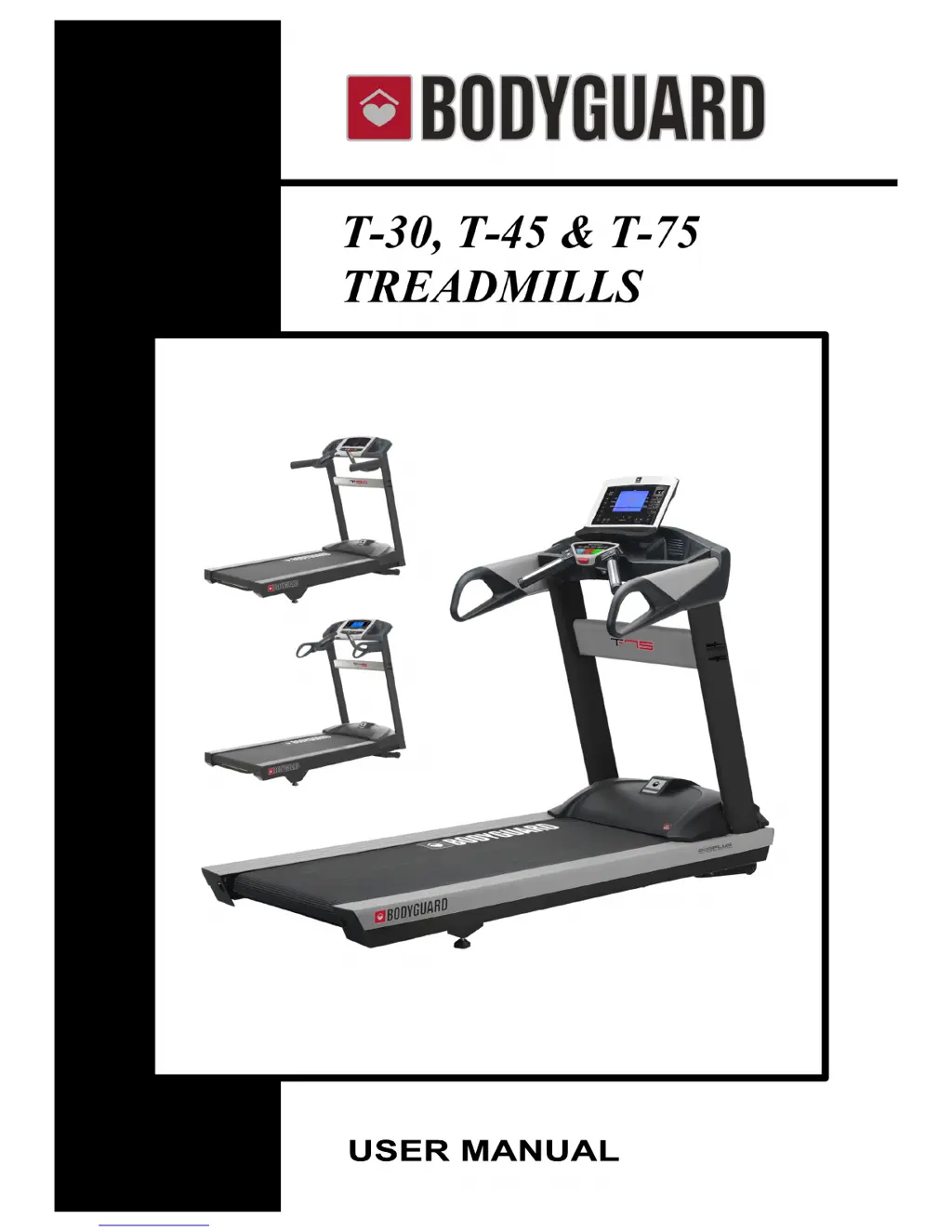
Bodyguard T-75 - User Manual

Default Icon
76 pages
Print Icon
To Next Page IconTo Next Page
Loading...
#691059 rev A 12/15

Table of Contents

Questions and Answers

  • J
    Jeanne RamseyAug 17, 2025
    What to do if my Bodyguard Treadmill walking belt is slipping?
    • D
      Dakota LandryAug 17, 2025
      If your Bodyguard Treadmill walking belt is slipping, ensure that the walking belt is indeed slipping on both the front and rear rollers. If it is, you should tighten the walking belt. Refer to section 7.4 for instructions on how to do this.
  • N
    Nicholas CastilloAug 20, 2025
    What to do if my Bodyguard T-75 drive belt is slipping?
    • Z
      Zachary JohnsonAug 20, 2025
      If your Bodyguard Treadmill drive belt is slipping, first confirm that the drive belt is slipping on both the drive motor pulley and the front roller pulley. If it is, you should tighten the drive belt. See section 7.2 for instructions.
  • D
    Dale EdwardsAug 23, 2025
    What to do if the Bodyguard T-75 Treadmill display won't light up, but the motor control board lights are on?
    • M
      Mrs. Cynthia BarkerAug 23, 2025
      If the display of your Bodyguard Treadmill does not light up when the power switch is turned on, but the lights on the Motor Control Board (MCB) are on, it could be due to loose data cable connectors, a damaged data cable, a damaged MCB, or a damaged display. First, ensure the data cable connectors are securely connected to both the MCB and the display. If the data cable is damaged, it will need to be replaced to allow power to pass from the MCB to the console. Data cables are often damaged when moving treadmills if they are not safely removed before lowering the upright masts.
  • M
    Ms. Stephanie RomanAug 26, 2025
    What to do if my Bodyguard T-75 Treadmill display won't light up and there are no lights on the motor control board?
    • M
      Michael MillsAug 26, 2025
      If the display of your Bodyguard Treadmill does not light up when the power switch is turned on, and there are no lights on the Motor Control Board (MCB) under the motor cover, it indicates a power issue. Here's what you can check: * Ensure the wall socket is providing power by testing it with a multimeter or plugging in a lamp. * Inspect the power cord for any damage and test if it's passing 120 VAC of power. Replace if necessary. * Check if the power switch lights up when turned on; replace if needed. * Reset the circuit breaker by pushing it in. If it trips repeatedly, it might be damaged and need replacement. * Inspect all components and wiring before the MCB for 120 VAC to identify where the power is stopping. * Test if 120 VAC is entering the MCB using a multimeter.
  • M
    Megan WoodsAug 28, 2025
    What to do if the walking belt is not centered on my Bodyguard T-75 Treadmill?
    • S
      Steven ReyesAug 28, 2025
      If the walking belt on your Bodyguard Treadmill is not centered, first confirm that the treadmill is level and that the front and rear rollers are parallel. Then, adjust the rear feet to level the treadmill and complete the Walking Belt Alignment. See section 7.5 for detailed instructions.
  • W
    Wendy WhiteAug 31, 2025
    Why does my Bodyguard Treadmill say 'PLEASE PUT SAFETY KEY'?
    • G
      gabrieldavisAug 31, 2025
      If your T-45 or T-75 Bodyguard Treadmill displays 'PLEASE PUT SAFETY KEY', it means the safety key is either not in place or the safety switch inside the console is damaged or not connected. Ensure the safety key is correctly placed on the console. If the issue persists, remove the console's back metal plate and check that the safety switch wiring is connected to the upper board. Check for continuity; you may need to replace the safety switch or wiring.
  • H
    hriveraSep 3, 2025
    How to fix a sticking walking belt on Bodyguard T-75?
    • V
      Vanessa MooreSep 3, 2025
      To fix a sticking walking belt on your Bodyguard Treadmill, first perform a Current Test (see section 7.6.3) to check for high friction between the belt and deck. Then, perform Deck and Walking Belt Cleaning and Lubrication (see section 7.7). If cleaning and lubrication don't lower the amperage readings and solve the sticking, consider replacing the walking belt and rotating, flipping, or replacing the deck if they are worn. If amperage readings are within range but the problem continues, contact customer service.
  • J
    jenkinsjosephSep 5, 2025
    What to do if the silicone keys on my Bodyguard Treadmill are not responding?
    • H
      Henry ValdezSep 6, 2025
      If the silicone keys on your Bodyguard Treadmill are not responding when pressed, it could be due to debris between the silicone keys and the Keypad PC Board, a damaged communication cable from the Keypad PCB, or a damaged Keypad PC Board. First, remove the PC board and carefully clean the sensors on the Keypad PC Board, as well as the underside of the silicone keys. If that doesn't work, replace the communication cable. If the Keypad PC Board is damaged and not transferring communication, it will need to be replaced.
  • H
    Henry GarciaSep 8, 2025
    What to do if the quick keys on my Bodyguard Treadmill membrane are not working?
    • O
      owhiteSep 8, 2025
      If the quick keys on the membrane of your Bodyguard Treadmill are not working, it is likely due to a damaged Quick-Key Sensor Pad. The solution is to replace the Quick Key Sensor Pad.
  • M
    Micheal SmithSep 12, 2025
    On a Bodyguard T-30 Treadmill, what should I do if the JustGo key doesn't start the countdown, but the Contact HR function works?
    • L
      Lisa SmithSep 12, 2025
      If, on your Bodyguard T-30 Treadmill, the JustGo key doesn't initiate the 3,2,1 countdown but the Contact HR function works, the issue likely lies with the safety key or the safety switch. Ensure the safety key is correctly placed on the console. If the problem persists, remove the console's back metal plate and inspect the safety switch wiring connection to the upper board. Check for continuity; consider replacing the safety switch or wiring.

Summary

Important Safety Instructions

Grounding Instructions

Explains the necessity of proper grounding for electrical safety and warranty.

Using the Emergency Stop System

Details the operation and safety features of the emergency stop system.

Getting to Know Your Treadmill

Measuring Your Heart Rate

Describes the methods for detecting and displaying the user's heart rate.

Maximum Heart Rate (MHR) and Zones

Explains how to calculate Maximum Heart Rate and understand heart rate zones.

Diagnostics Menu and Tests

Accessing the Diagnostics Menu

Steps to enter the diagnostic mode for testing and system checks.

Heart Rate and Safety Key Tests

Verifies accuracy of heart rate systems and operation of the safety key.

Belt Alignment and Incline Calibration

Initiates tests for belt alignment and recalibrates the incline motor.

Motor and Speed Sensor Tests

Tests drive motor voltage levels and the functionality of the speed sensor.

Error Log and Maintenance Data

Stores and allows viewing of logged errors and displays motor amperage data.

Statistics and Extreme Amperage

Allows viewing usage data and provides steps for extreme amperage warnings.

General Maintenance Procedures

Troubleshooting Problems

Maintenance Warnings (AFDS)

Explains maintenance warnings triggered by the Advanced Friction Detection System.

Walking Belt Problems

Solutions for issues like walking belt not centering, slipping, or sticking.

Motor Control Board (M.C.B.) Operational Codes

Explains operational codes displayed by the Motor Control Board LED.

Display Error Codes

Lists and explains error codes that may appear on the console display.

General Troubleshooting Checklist

A checklist for common display and power-related troubleshooting issues.

Bodyguard T-75 Specifications

General IconGeneral
BrandBodyguard
ModelT-75
CategoryTreadmill
LanguageEnglish

Related product manuals